

Best dtf printer for beginners: Find top models and launch your business
If you're just getting into custom apparel, finding the best DTF printer for beginners comes down to three things: a price that doesn't break the bank, easy operation, and performance you can count on. The top entry-level machines are built with straightforward software, simple maintenance, and solid customer support to get you started on the right foot.
Your Starting Point For Choosing a Beginner DTF Printer
Welcome to the exciting world of Direct-to-Film (DTF) printing! Whether you're a small business owner, a side hustler working from home, or a hobbyist who wants to create pro-level custom gear, you’re in the perfect place. DTF has quickly become the go-to for making vibrant, long-lasting designs on all sorts of fabrics—from cotton and polyester to tricky blends.
DTF offers a much more accessible entry point compared to traditional printing methods that often come with a lot of complexity and cost. The process is pretty straightforward: you print your design onto a special film, cover it with an adhesive powder, and then heat-press it onto the garment. The result is a stunning, full-color transfer without a massive learning curve.
What Makes a DTF Printer Beginner-Friendly?
Because DTF is so appealing to newcomers, the market has absolutely exploded. Global production recently shot past 7.2 billion DTF prints in a single year—that's a massive 30% increase over the previous year. This boom is exactly why entry-level machines are often the best starting point. You can dig deeper into these numbers by checking out the latest DTF printing market review.
But for a beginner, the "best" printer isn't just about raw specs. It’s the whole experience that matters. The features that really make a difference for someone new to the game include:
- Simplified Software: You need intuitive RIP (Raster Image Processing) software that lets you manage colors and print jobs without needing a degree in graphic design.
- Manageable Maintenance: Look for printers with helpful features like automatic printhead cleaning. Anything that helps you avoid common headaches like clogging is a huge win.
- Reliable Support: Having access to good technical support and a community of other users is invaluable when you hit those inevitable bumps in the road.
- Affordable Investment: The upfront cost should be manageable, letting you test the waters without taking a huge financial risk.
A great beginner DTF printer should let you spend your time designing and growing your business, not wrestling with technical problems. The goal is to get you from an idea to a finished shirt with as little friction as possible.
Key Features of a Beginner-Friendly DTF Printer
This table breaks down the essential features that make a DTF printer a great choice for beginners. It’s a quick guide to help you focus on what really counts as you start your search.
| Key Feature | Why It Matters For Beginners | What to Look For |
|---|---|---|
| User-Friendly Interface | A simple setup reduces the learning curve and minimizes frustrating errors. | Look for an intuitive digital control panel, clear instructions, and uncomplicated software. |
| Automated Maintenance | This prevents common problems like printhead clogs, saving you time and money on repairs. | Prioritize features like automatic cleaning cycles and white ink circulation systems. |
| Compact Footprint | You need something that can fit in a small business, home office, or workshop. | Desktop models (often A3 or A4 size) are perfect for spaces that aren't huge. |
| Strong Customer Support | It's a lifeline for troubleshooting, setup help, and any questions that come up. | Seek out brands that provide detailed guides, video tutorials, and responsive tech help. |
Ultimately, a printer with these features will make your entry into DTF printing smoother and much more enjoyable.
Understanding Core DTF Printer Technology
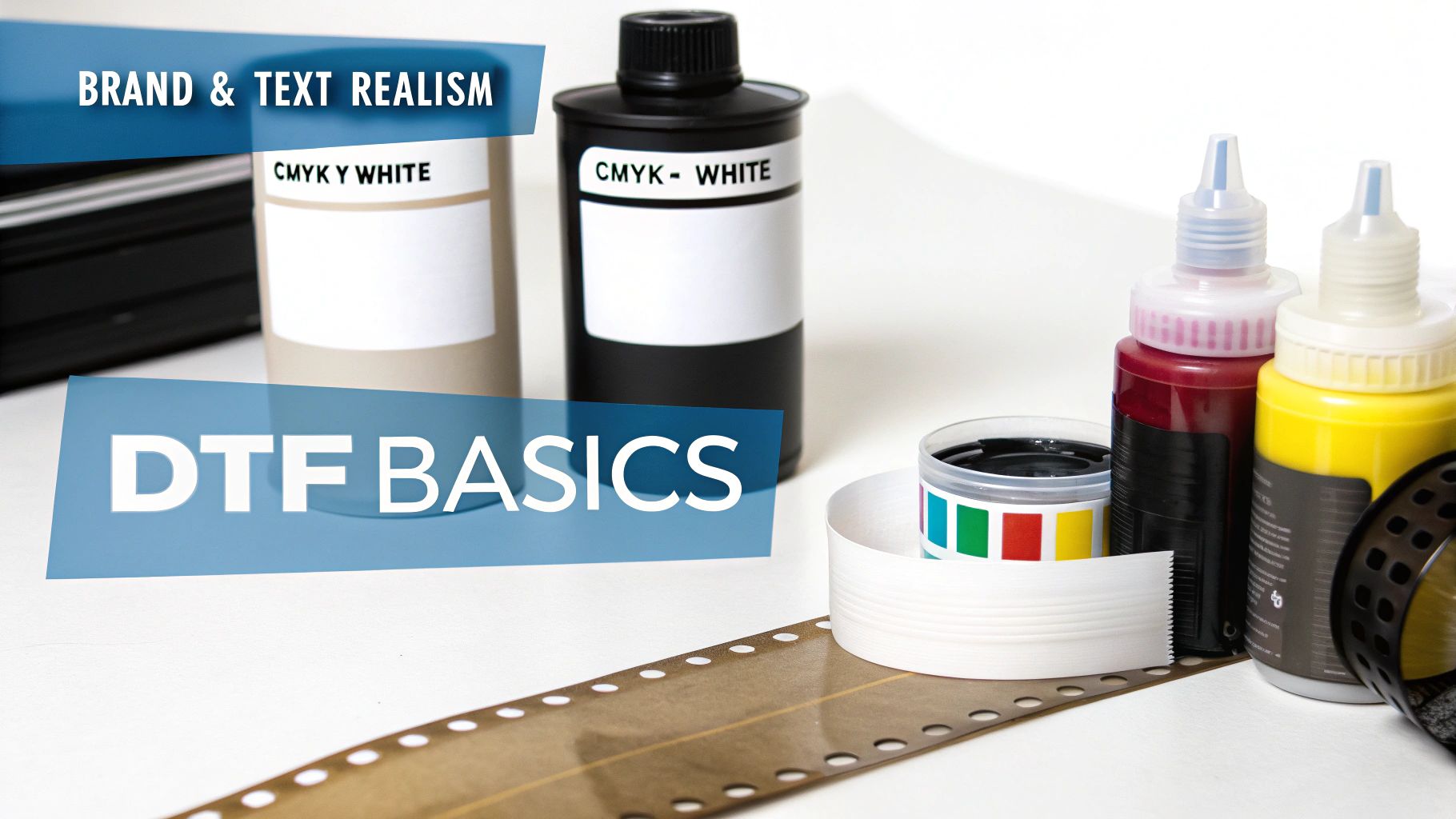
Before you can pick the right DTF printer, you’ve got to get a handle on what makes these machines tick. Understanding the core components helps you cut through the marketing fluff and focus on what actually affects your print quality, durability, and daily workflow. Think of it as your foundation for making a smart investment.
A DTF printer isn't just one piece of equipment; it's a system. Every part, from the printhead laying down the ink to the adhesive powder that makes it all stick, plays a vital role. Once you know what they do, comparing different models becomes a whole lot easier.
Printheads: The Engine of Your Printer
The printhead is the heart and soul of any DTF printer. This is the component that jets microscopic droplets of ink onto the transfer film with incredible precision. For beginners, the market is flooded with printers that use Epson printheads, and for good reason—they offer a fantastic balance of resolution and affordability.
- Epson Printheads (e.g., XP600, i3200): You'll find these in most entry-level models. They produce stunningly detailed and color-accurate prints, which is exactly what you want for high-quality apparel. The trade-off? They can be prone to clogging, especially with the thick white ink, so they demand consistent maintenance.
- Industrial Printheads: These are the workhorses found in bigger, more expensive machines built for cranking out huge volumes. They’re tough and fast, but the initial investment is way beyond what most beginners need or can afford.
For someone just starting out, a printer with a reliable Epson head is the perfect entry point. You get professional-level output without the industrial-sized price tag. The secret is simply committing to a regular cleaning routine to keep it running smoothly.
Ink and Adhesive: The Heart of the Transfer
The real magic of DTF comes from its unique combination of specialized ink and adhesive powder. This is the dynamic duo that allows your designs to stick to almost any fabric you can think of, from cotton to polyester, all while looking brilliant and feeling soft to the touch.
The standard ink setup is CMYK+W, which stands for Cyan, Magenta, Yellow, Black, and a critical White. That white ink is everything. It’s printed as a base layer underneath your colors, making them pop with opacity on dark or colored shirts. Without a solid white base, your design would look washed out and see-through on anything but a plain white tee.
After the ink is laid down on the special DTF film, it gets a dusting of a fine polyurethane adhesive powder. This powder is designed to stick only to the wet ink. When you heat it up later, it melts into a powerful adhesive layer that bonds the entire print to the garment during the heat-pressing stage. The quality of this powder makes a huge difference in the final transfer's durability and stretchiness.
The teamwork between the white ink base and the adhesive powder is what gives DTF its incredible versatility. It's the reason you can press the same vibrant, detailed design onto a black cotton hoodie, a blue polyester sports jersey, and a red canvas tote bag with consistent, professional results.
Curing: The Final Step Before Pressing
Once the powder is on, it needs to be melted, or "cured." This is a make-or-break step that transforms the loose powder into a smooth, even adhesive backing for your transfer. For beginners, there are really two main ways to get this done.
| Curing Method | How It Works | Best For Beginners? |
|---|---|---|
| Heat Press Hovering / Curing Oven | The powdered film is placed under a heat source, like hovering your heat press just above it or using a small, dedicated oven to melt the adhesive. | Yes. This is the most common and affordable method for entry-level setups. It takes some manual effort but gives you total control. |
| Automatic Shaker/Dryer | The printer feeds the film into a separate unit that automatically coats it in powder, shakes off the excess, and cures it inside a tunnel dryer. | No. These systems are built for high-volume production. They add significant cost and take up a lot of space, making them impractical for most beginners. |
If you want to see how this all comes together, our guide on understanding DTF printing provides a complete walkthrough of the entire process. With this technical know-how, you’re now ready to evaluate different machines based on the parts that truly matter.
Comparing The Top Entry-Level DTF Printers
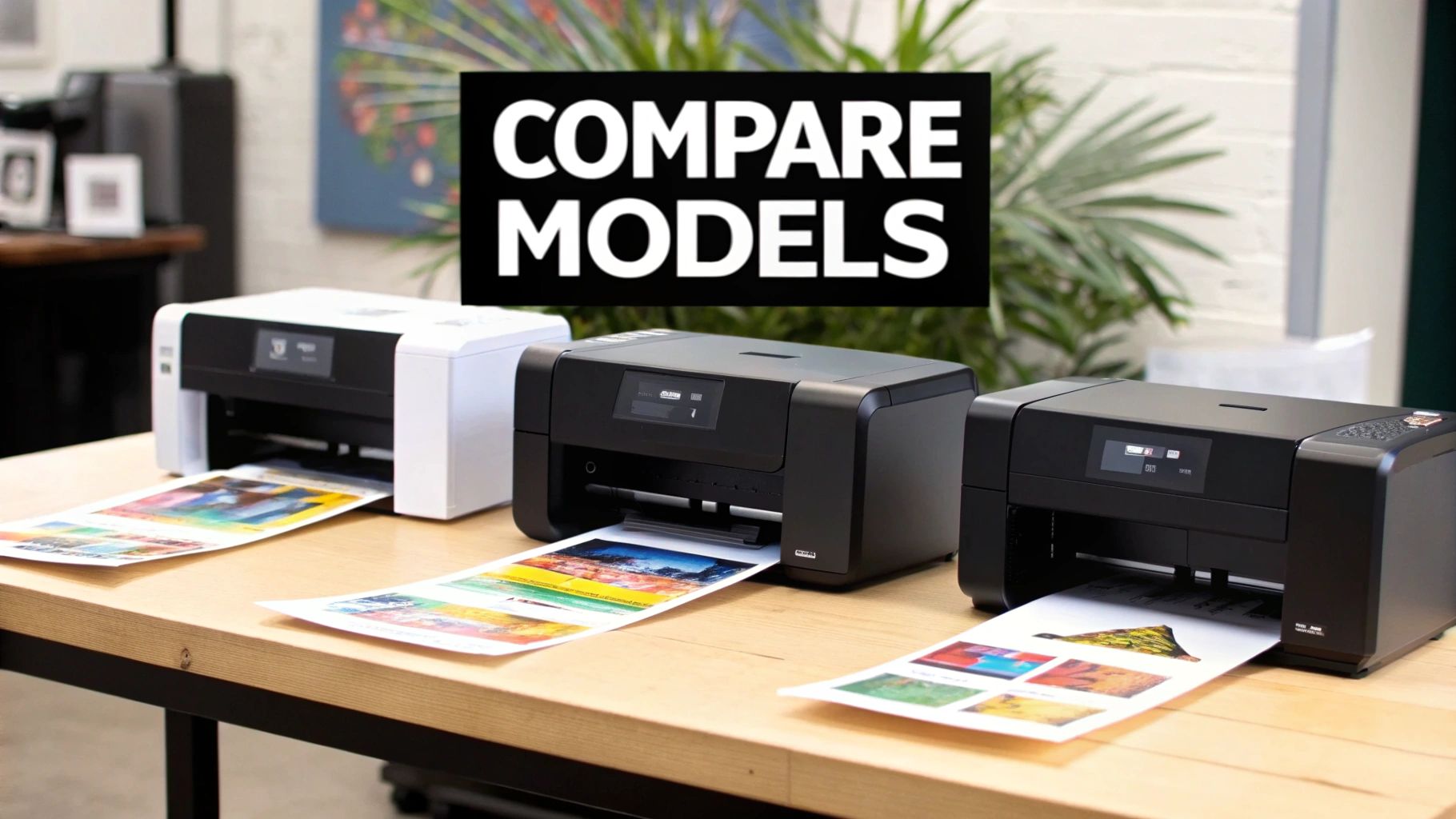
Alright, you get the theory behind DTF. Now for the fun part: seeing how these machines actually perform in the real world. Picking your first printer is a big step, but it gets a lot easier when you filter out the noise and focus on what truly matters for a beginner.
Instead of just spitting out a list of specs, we’re going to look at a few common entry-level options through the eyes of someone just starting out. You need a machine that’s reliable, doesn’t have a crazy learning curve, and won’t break the bank.
We'll focus on the real-world trade-offs. What do you sacrifice in print quality to gain more speed? How much daily maintenance are we really talking about? And is the software intuitive enough for someone who isn't a graphic design pro? These are the questions that will save a small business owner from headaches and costly downtime.
A Quick Word on Brands and Models
The entry-level DTF world moves fast. You'll see a ton of printers that are essentially "white-labeled" or modified versions of existing Epson printers. Because of this, specific model names come and go, so it's much smarter to focus on the core components inside.
Most beginner-friendly printers are built around proven Epson printheads like the L1800 or XP600. They'll usually give you an A3 (13-inch) or A4 (8.5-inch) print width. Thinking this way helps you compare apples to apples—a printer from Company A with an XP600 head will have very similar upkeep needs as one from Company B with the same head. The real differences often come down to the build quality, the software they bundle with it, and—crucially—the quality of their customer support.
This technology is booming for a reason. The DTF printer market was valued at USD 2.68 billion and is expected to hit USD 4.25 billion by 2032. That growth is being driven by small businesses and startups who are jumping on the versatility and speed DTF offers. You can read more about the growth of the DTF market if you want to dive deeper into the industry trends.
Scenario 1: The Home-Based Etsy Seller
Let's imagine you run an Etsy shop out of a spare room, making custom t-shirts with detailed, colorful graphics. You're doing small, on-demand orders, maybe 10-15 shirts a day at most. Your priorities are top-notch print quality, a machine that doesn't take up the whole room, and a low upfront investment.
For this kind of setup, an A4 or A3 printer based on the Epson L1800 engine is usually a fantastic choice.
- Print Quality: L1800-based machines are famous for their incredible photo-quality output. The fine detail and color pop are exactly what you need to make intricate artwork stand out for picky customers.
- Maintenance Level: This is where you have to be honest with yourself. These printers demand consistent daily care. We're talking printhead cleanings and shaking your ink bottles to prevent clogs. The low price tag comes with a hands-on commitment.
- Workflow: Your process will be completely manual. You’ll print one transfer, hand-powder it, and then cure it with a small oven or by hovering your heat press. It works great for low volume but isn't built to scale up.
The L1800-based printer is the classic starter machine. It delivers professional-grade results at a hobbyist price, but it needs your time and attention to keep it running smoothly.
Scenario 2: The Promotional Products Startup
Now, let's switch gears. Picture a small startup handling branded merch for local businesses. You’re not printing one-offs; you’re producing small-to-medium batches, which means you need to create "gang sheets" with dozens of logos to be efficient. Here, speed and reliability are king.
In this case, a more robust A3+ (13-inch) printer running an Epson XP600 printhead makes a lot more sense.
- Speed vs. Quality: The XP600 printhead is a workhorse—it's noticeably faster than the L1800. While the print quality is still fantastic, it's optimized for speed, which is perfect for the logos and graphics common in promotional work.
- Software and Workflow: Many XP600 printers are packaged with better RIP software that makes creating gang sheets a breeze. This is a huge time-saver. You can drag, drop, and nest multiple jobs onto a single film, which drastically cuts down on waste.
- Maintenance Level: These printers often have built-in perks like white ink circulation systems. This feature automates some of the most tedious maintenance, reducing your daily checklist and lowering the odds of a catastrophic clog compared to a basic model.
Head-to-Head Comparison of Top Beginner DTF Printers
To make this even clearer, here’s a table that gives you a quick snapshot of how these common printer types stack up. Think about your business goals and see which column aligns best with your needs.
| Printer Model | Best For | Printhead Type | Average Cost Per Print | Maintenance Level |
|---|---|---|---|---|
| L1800-Based A3 | Hobbyists & Etsy sellers with low volume and high-quality demands. | Modified Epson L1800 | $0.75 - $1.50 (for a full front design) | High (Requires daily manual cleaning) |
| XP600-Based A3+ | Small businesses focused on efficiency and medium batch production. | Single Epson XP600 | $0.60 - $1.20 (more efficient with gang sheets) | Medium (Often has automated features) |
| Dual-Head i3200 | Growing businesses scaling up production for higher volume. | Dual Epson i3200-A1 | $0.40 - $0.90 (built for speed and bulk ink systems) | Lower (Designed for continuous operation) |
A quick note: That last one, the Dual-Head i3200, is definitely a step beyond the "beginner" category. I included it so you can see what the next level up looks like.
Ultimately, finding the best DTF printer for beginners isn't about one "perfect" machine. It’s about matching the printer's strengths to your specific game plan. The needs of an Etsy seller are worlds apart from a promo products company, but thankfully, there’s an entry-level machine built for both.
Calculating The True Cost Of DTF Printer Ownership
The sticker price on a DTF printer? That's just the tip of the iceberg. To figure out if this is a profitable move for you, you have to look past the initial hardware cost and get a real handle on the total cost of ownership. This means everything from the ink you’ll use every day to the occasional bottle of cleaning fluid.
Getting this financial picture clear from the start is what separates a smart investment from a money pit. When you map out all the potential costs, you'll avoid those nasty surprises that can derail a new business.
Breaking Down The Upfront Investment
Your initial outlay is the most obvious expense, but it’s a lot more than just the printer. To get a complete, functioning setup, you'll need a few key pieces of gear.
- The Printer: Entry-level models usually run between $1,500 to $5,000. That price gap often comes down to things like build quality, the type of printhead it uses, and the level of support you get.
- Heat Press: This is non-negotiable. You absolutely need one to apply your transfers. A good quality press will set you back anywhere from $300 to $800.
- Curing Method: For beginners, this is often a small curing oven or just using your heat press in a "hover" mode. If you opt for a dedicated oven, plan on adding another $200 to $400 to your startup budget.
- Software: Most printers include the necessary RIP (Raster Image Processing) software. Still, some might require you to buy it separately or pay for a subscription, which could be a one-time fee or a recurring monthly charge.
Think of these as the foundation of your print shop. It's really important to factor all of them in, because a cheaper printer might end up needing more expensive accessories, closing the price gap you thought you had.
Uncovering The Ongoing Costs: Your Consumables
This is where the real, day-to-day costs of running a DTF printer show up. These are the supplies you'll be buying over and over again to actually produce orders. They're the fuel for your business.
Your consumable costs are tied directly to how much you print. The busier you are, the more you'll spend here.
- DTF Ink: This will be your biggest recurring expense, hands down. A full set of CMYK and White ink bottles can cost $150-$300. You can dive deeper with our complete guide to DTF printer ink to get a better sense of ink types and how fast you'll go through them.
- DTF Film: You’ll buy this in either rolls or sheets. A 100-foot roll of A3-width film typically costs between $80 and $120.
- Adhesive Powder: This stuff is pretty cheap but totally essential. A 1kg bag costs around $25-$40 and will last you for a huge number of prints.
The low cost-per-print is a huge reason DTF has become so popular. The global market, valued at USD 2.89 billion, is expected to hit USD 4.59 billion by 2032, and that growth is powered by how economical it is for small-batch production.
The Hidden Costs You Can't Afford To Ignore
Finally, let's talk about the "hidden" costs—the expenses that are easy to forget but are absolutely critical for keeping your operation running smoothly. Budgeting for these from day one will save you a world of hurt later.
These include maintenance supplies like cleaning swabs, solution, and syringes, which might add $20-$30 to your monthly bills. You also need to plan for potential repairs or replacement parts, like dampers or capping stations, which inevitably wear out. And don't forget your power bill; the printer and the heat press both draw a decent amount of electricity.
Before you pull the trigger on a DTF printer, you need to know your numbers. A great starting point is to calculate your break-even point. This will show you exactly how many prints you need to sell just to cover your costs. It’s a simple calculation that gives you a clear target and helps you price your products right from the get-go.
When Outsourcing Your DTF Printing Makes More Sense
Getting your hands on your own DTF printer is exciting, I get it. But it's not the only way to build a killer apparel business. In fact, for many people starting out, it's not even the best way. The upfront cost, the time it takes to really learn the ropes, and the daily maintenance grind are very real obstacles.
There's a fantastic alternative that lets you sidestep all that drama: outsourcing your prints to a dedicated DTF transfer service.
This route gives you instant access to top-tier, industrial-grade equipment without the ownership headaches. You can pour all your energy into the fun stuff—creating amazing designs and getting your brand out there—while the pros handle the technical side of production. It’s a low-risk, high-reward way to get your foot in the door and see what works.
When Outsourcing Is the Smarter Play
Choosing to outsource isn't about being lazy; it's about being strategic. For a lot of newcomers, jumping straight into buying a printer is a classic case of putting the cart before the horse. A transfer service is often the more tactical move.
Think about outsourcing if you find yourself in these situations:
- You're testing a new business idea. Before dropping thousands on gear, you need to know if people actually want to buy your designs. A service lets you test the market with next to no financial risk.
- Your order volume is all over the place. If you have slow weeks, your printer just sits there, which is a recipe for clogged printheads and wasted ink. Outsourcing means you only pay for printing when you actually have orders.
- You land a huge or time-sensitive order. An entry-level printer has its limits and can be painfully slow. When a big order with a tight deadline drops in your lap, a professional service with commercial machines can often get it done in 24 hours.
- You don't have the time, space, or patience for maintenance. If you're not ready for the commitment of daily cleaning routines or don't have a good, well-ventilated spot for a printer, outsourcing is the only practical choice.
Outsourcing your DTF lets you sell professional-quality products from day one. You get the benefit of vibrant, durable, and perfectly consistent transfers without ever having to unclog a printhead or fight with software.
The Real-World Benefits of Using a Transfer Service
Working with a service like Raccoon Transfers offers clear advantages that solve the biggest problems beginners face. You’re not just buying transfers; you’re gaining a production partner.
Here’s what that actually looks like:
- Zero maintenance or repair bills. Clogged heads, software bugs, and broken parts? Not your problem anymore. This completely eliminates the hidden costs and frustrating downtime that come with owning a machine.
- Professional-grade quality, every single time. These services use industrial printers that produce color vibrancy, fine detail, and consistency that most entry-level models just can't touch.
- Scale up (or down) whenever you need to. As your business grows, your production capacity grows right along with it. You can handle an order for a single shirt or a thousand shirts without breaking a sweat.
- A dead-simple workflow. You just upload your artwork to a gang sheet builder, place your order, and get ready-to-press transfers delivered right to your doorstep.
This approach is a lifesaver, especially for local businesses that need a fast, reliable partner. If you’re curious about finding a provider, you can learn more about sourcing custom DTF transfers near you in our guide. It’s a strategy that gives you total flexibility and pro-level results from the get-go.
Making The Right Choice For Your Business
So, after digging into the specs, the costs, and the day-to-day realities of DTF printing, how do you actually decide what to do? The truth is, there’s no single best DTF printer for beginners. There’s only the right choice for your specific business goals and how much you want to take on.
The path you pick should line up with your budget, how comfortable you are with technology, and where you see your business going. For some, having a printer in-house and controlling every step is the dream. For others, that sounds like a nightmare, and they'd much rather focus on designs and sales. It's a good idea to think about how this fits into your bigger picture; for brand-new businesses, a solid go-to-market strategy for startups can really help you figure out where to put your money first.
Tailoring The Decision To Your Needs
Let's break it down by looking at three common scenarios we see with beginners. Each one points toward a different solution, depending on what's most important to you—total creative freedom, scaling up, or just keeping things simple and low-risk.
-
The Creative Hobbyist: Is this all about bringing your own ideas to life for fun or small projects? If so, an A3 desktop model gives you the freedom to experiment whenever inspiration strikes. Just be prepared for the hands-on daily maintenance that comes with it. The payoff is having complete control over every single print.
-
The Ambitious Startup: Are you launching a full-blown apparel brand and expecting to grow? Investing in a more robust printer with some automation makes a lot more sense. You’ll need the speed and efficiency to keep up with orders and pump out complex gang sheets without pulling your hair out.
Honestly, the smartest move for almost any beginner is to prove your idea works before sinking a ton of cash into equipment. Outsourcing lets you test the waters with zero risk and keeps your focus 100% on building a brand people love.
- The Brand-Focused Entrepreneur: If your real talent is in design, marketing, and making sales, then your time is too valuable to spend cleaning printheads. Outsourcing to a service like Raccoon Transfers is easily the most strategic choice. You get top-quality prints from day one, skip all the maintenance headaches, and can scale your business without skipping a beat.
This simple decision tree lays out the two main routes you can take when getting into DTF.
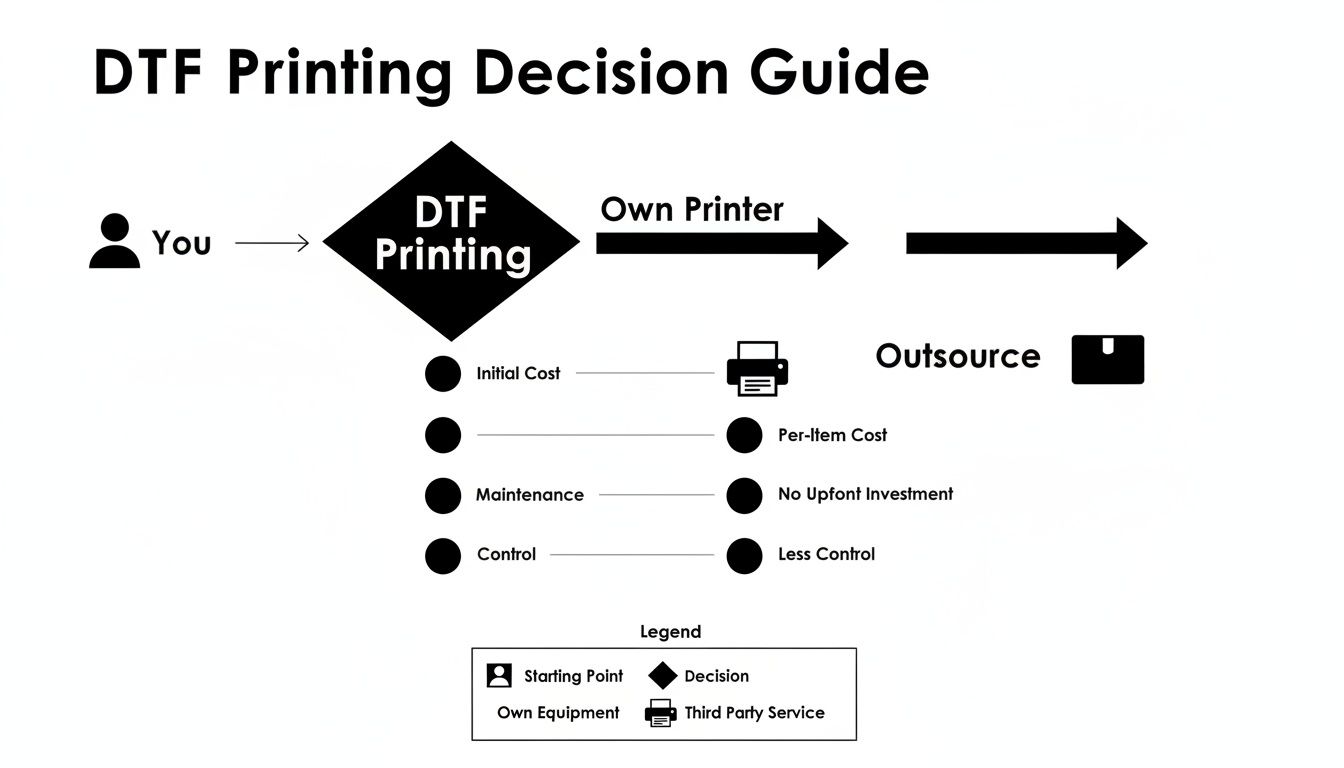
At the end of the day, it all comes down to what you prioritize. Do you want to be a hands-on producer, or do you want to be a brand builder who lets experts handle the production? Both paths can lead to success.
Got Questions? Let's Talk DTF Printers
Stepping into a new technology like DTF printing always brings up a few last-minute questions, and that’s perfectly normal. Even after you’ve done your research, there are practical, real-world concerns that pop up. We get it.
Think of this as a final run-through to clear up those lingering doubts. We’ll cover the nitty-gritty details on equipment life, how much space you really need, and what you can actually print on.
How Long Does a DTF Printhead Last?
This is probably the number one question on every beginner's mind. The printhead is the heart of your machine, and replacing it isn't cheap. With good care, you can expect an Epson printhead in a starter DTF printer to last anywhere from 6 to 18 months.
But let's be clear: that’s not a guarantee. The biggest factor by far is consistent maintenance.
- Use It or Lose It: A printhead that runs daily and gets cleaned properly will outlive one that sits idle. Inactivity is the enemy, as it lets the notoriously thick white ink settle and cause clogs that you just can't fix.
- Don't Skimp on Ink: Good ink is non-negotiable. Cheaper inks often contain impurities or have poor formulations that can lead to permanent blockages and damage. Stick with a reputable supplier.
- Your Shop's Environment Matters: Keep your printer in a clean room with stable humidity. A controlled climate prevents ink from drying out in the lines and protects all the sensitive electronics.
Here’s the best way to think about it: your printhead is like a car engine. If you do regular oil changes and use quality fuel (in this case, good ink and daily cleanings), it’ll serve you well. Neglect it, and you’ll be shopping for a new one much sooner than you’d like.
What Is the Minimum Space Needed for a DTF Setup?
Good news—you don’t need a huge industrial space to get started. But you do need a dedicated, properly set up corner. For a basic beginner DTF operation, you should plan for a space that’s at least 6 feet by 4 feet.
This gives you just enough room for the essentials:
- The Printer: Most A3 desktop printers are about the size of a large office machine.
- The Curing Station: You'll need a spot for your curing oven or a heat-resistant surface if you're using a heat press for this step.
- The Heat Press: A standard 15x15 inch press needs enough clearance to open fully without you bumping into anything.
- A Work Table: You need a clean surface for applying the adhesive powder and trimming your finished transfers.
And please, don't forget about ventilation. Melting the adhesive powder creates fumes you don't want to be breathing in. Make sure your workspace has a window you can open or, even better, a dedicated air filtration system.
Can You Print on Materials Other Than Fabric?
Absolutely. While DTF is king when it comes to decorating cotton, polyester, and blends, its usefulness doesn't stop there. You can press DTF transfers onto all sorts of things, as long as the material can handle the heat and pressure from your press.
We've seen people get creative with some really cool non-fabric items:
- Leather for custom hat patches
- Treated wood for unique signs and decor
- Canvas for shoes and tote bags
- Even certain types of cardboard and hard plastics
The trick is to test everything first. When you try a new material, experiment with your temperature, pressure, and peel timing to dial in the perfect recipe. This kind of flexibility is a huge advantage and another reason why DTF is such a powerful tool to have in your arsenal.
Ready to skip the hardware headaches and get straight to creating? Raccoon Transfers offers professional, ready-to-press DTF transfers with a 24-hour turnaround. Upload your designs and let us handle the printing, so you can focus on building your brand. Start your first order today.