
Long Sleeve T Shirts with Logo: A Practical Ordering Guide
The order is nearly ready to quote. You've picked a long-sleeve blank, sent over a logo, and asked for a price. Then the print shop asks whether the fabric is polyester, whether the artwork has a transparent background, and whether the sleeve mark should sit above the cuff or run down the forearm. Those aren't separate details. Each affects what can be printed, where it fits, and how the finished shirt wears.
A reliable order connects the garment, artwork, decoration method, sizing, and delivery plan before production begins. That's the difference between approving a screen mockup and receiving shirts that look right on actual people.
Planning a Branded Long Sleeve Order From the Start
The coordination problem often appears after a buyer has chosen the blank. A lightweight performance shirt may suit an outdoor event, but the logo method they had in mind might need a test on synthetic fabric. A heavier cotton shirt could work well for everyday merchandise, but its cut and sleeve construction may shift how a chest graphic looks when worn. The shop can't quote confidently until those decisions line up.
Start with the person wearing the shirt. Is it event apparel, staff clothing, retail merchandise, or a team uniform? A volunteer may value easy care and room to move, while a customer buying a branded shirt may care more about soft hand feel and a considered fit. That use case guides fabric and cut, which in turn narrow the decoration options.
Then decide how the logo will be applied. A single-color mark, fine-line artwork, and a full-color illustration put different demands on the production process. The artwork and fabric need to suit the method, and the method needs to suit the quantity. A small run may make a setup-heavy approach hard to justify, while a larger repeat order may change the calculation.
Get the brief quote-ready
Write down four things before asking for pricing:
- Who'll wear it: Include the use case and any fit preferences, such as relaxed or fitted.
- What's being decorated: Note the logo's colors, approximate placement, and whether you want a chest, back, or sleeve mark.
- How many you realistically need: Build the size mix from actual responses, not a guess based on the group's total headcount.
- When the shirts need to arrive: Work backward from the event date and leave time for artwork approval, blank sourcing, production, and shipping.
Blank sourcing also deserves attention early. If you're comparing wholesale options, OneTrendyCloset sourcing advice can help frame the garment-selection questions before you request a print quote. Bring the printer the blank's exact fabric and style details, not just a product photo.
A useful brief can fit in one paragraph: “We need branded long-sleeve shirts for an outdoor volunteer event, in a relaxed cut with a left-chest logo and a sleeve mark. The shirts should be comfortable for active wear, and the order must arrive before the event. We're collecting sizes and want a recommendation for a decoration method that suits the artwork and fabric.” That gives the shop enough context to identify missing decisions before quoting.
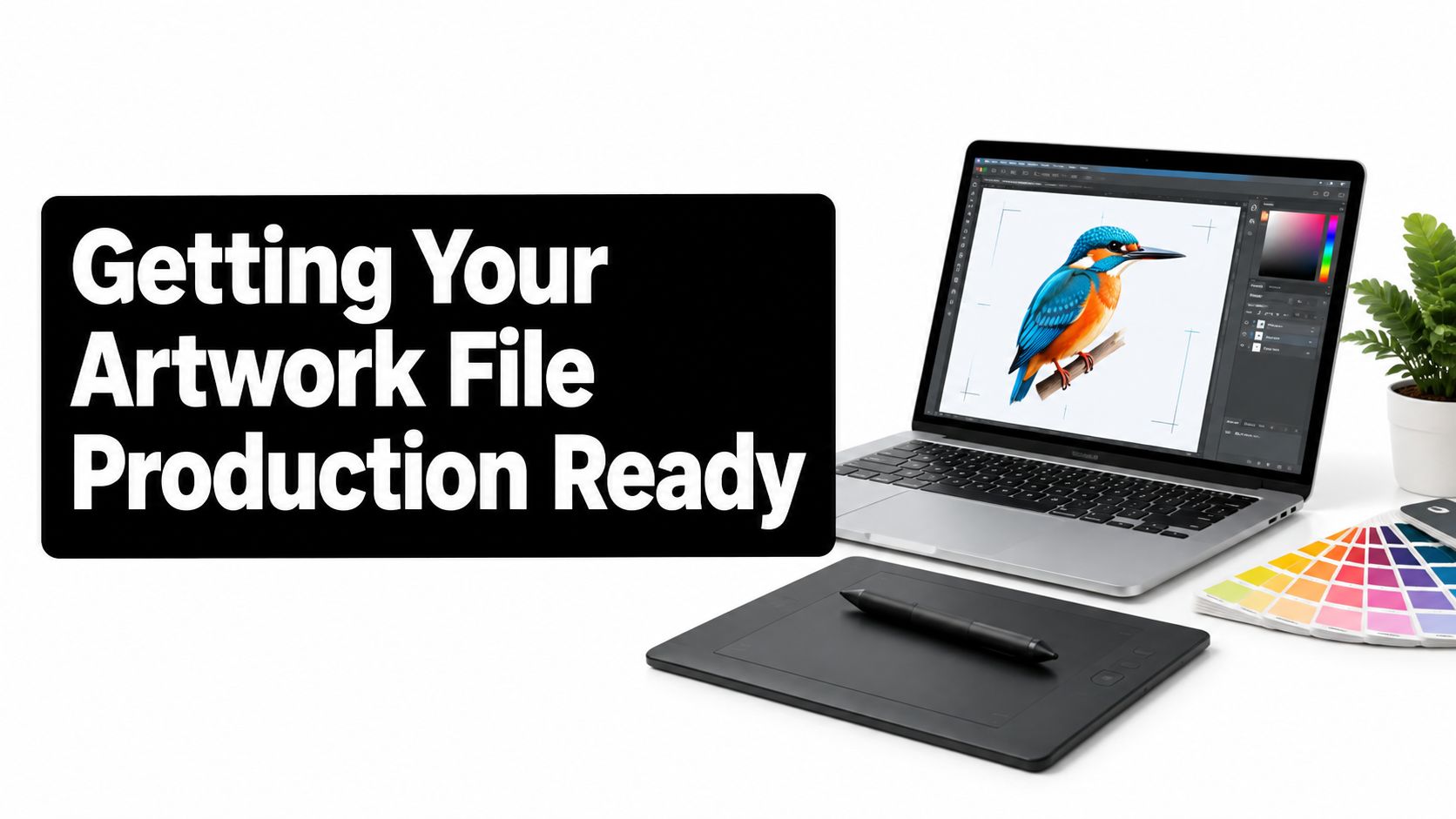
Getting Your Artwork File Production Ready
A logo can look crisp on a phone and still print poorly at garment scale. The printer needs the file at the intended size, with clean edges and the right background treatment. A mockup can help you approve position, but it can't repair a low-quality source file.
Choose a format that suits the artwork
For a logo with small text, fine lines, or shapes that need to stay sharp at different sizes, ask the designer for a vector file, such as AI, EPS, or a print-ready PDF. Vector artwork uses paths rather than a fixed grid of pixels, so it can be scaled without the soft edges that appear when a small image is enlarged.
A PNG with transparent background is useful for many digital print workflows and for artwork that shouldn't have a colored rectangle around it. A JPG can be acceptable when the background is part of the design, but a logo saved against a white background may leave a visible white box on a dark shirt. Don't assume a white-looking area is transparent. Ask the printer to confirm how it will separate.
For raster artwork, use 300 DPI at the final print size as a working target. A small web image may have enough pixels for a screen preview but not for a large chest graphic. Don't enlarge it in a design app and assume the added pixels create real detail. If your printer needs a specific file setup, confirm it before final export. A practical artwork preparation guide for printing can help you check the file before submitting it.
Approve what the shop will actually make
Color can shift between a glowing screen and ink or transfer on fabric. RGB describes color for screens, while printers may convert artwork into another color workflow for production. Give the shop brand-color references when accuracy matters, and ask what they can match on the selected garment. A digital mockup shows layout, not a guaranteed fabric-color match.
File check: Ask for an editable vector master, a transparent production file where appropriate, and a mockup showing the artwork at its intended size on the chosen shirt.
Before approval, check that fine lettering is legible, the transparent areas are clear, and the mockup shows the correct shirt color and placement. If you can only provide a screenshot, say so. A printer can tell you whether it's usable or whether the artwork needs to be rebuilt before production.
Choosing the Right Long Sleeve Fabric for Your Logo
The blank affects more than comfort. It changes how a logo adheres, how colors appear, how the sleeve falls, and whether the shirt keeps its shape after washing. Ask for the fabric composition, garment weight, cut, and cuff details before settling on a decoration method.
Compare the fabric families
Cotton feels familiar and breathes well, making it a practical choice for casual merchandise and many event shirts. Ringspun cotton can provide a smooth surface for printing, but cotton may shrink after washing, so account for care and fit rather than approving placement on an unwashed blank alone. A denser shirt can feel more structured, while a lighter one may drape more casually. Check the garment spec sheet rather than assuming the same “cotton long sleeve” label means the same feel.
Cotton-poly blends can balance cotton's familiar hand feel with reduced shrinkage compared with all-cotton options. They're a common fit for workwear and recurring events, but the actual blend and dye matter. Heat-sensitive synthetic fibers may scorch under unsuitable press settings, and dye migration can affect a light-colored transfer. The printer should test the chosen blank, not just a similar-looking sample.
Tri-blends are often chosen for their soft, lightweight feel and drape. That softness can be appealing for retail-style merchandise, but a textured or heathered surface may make fine details less crisp. Approve a sample if the design depends on small type or sharp edges.
Performance knits suit athletic and outdoor use when moisture management matters. They can be a poor match for casual cotton assumptions: heat and synthetic dyes require method-specific testing, and some decoration may alter the fabric's feel or performance. Tell the shop what the shirt will be used for so it can recommend a compatible process.
Match the cut to sleeve behavior
Unisex, relaxed, and fitted cuts don't just change the body width. They affect how sleeves sit, whether cuffs stay in place, and how a logo reads when the wearer moves. A fitted sleeve can feel restrictive over a base layer; a wide sleeve can make a small arm mark look misplaced. If you're building a visual direction for message-led or faith-based merchandise, House of Saint faith tee styling tips offer another perspective on making a graphic feel intentional as part of an outfit.
Ask the supplier for the fabric blend, garment weight, size measurements, sleeve construction, and care instructions. A guide to common T-shirt material choices can help you compare fabric descriptions, but the final test should use the actual blank and logo process you plan to order.
Logo Placement That Looks Intentional on Long Sleeves
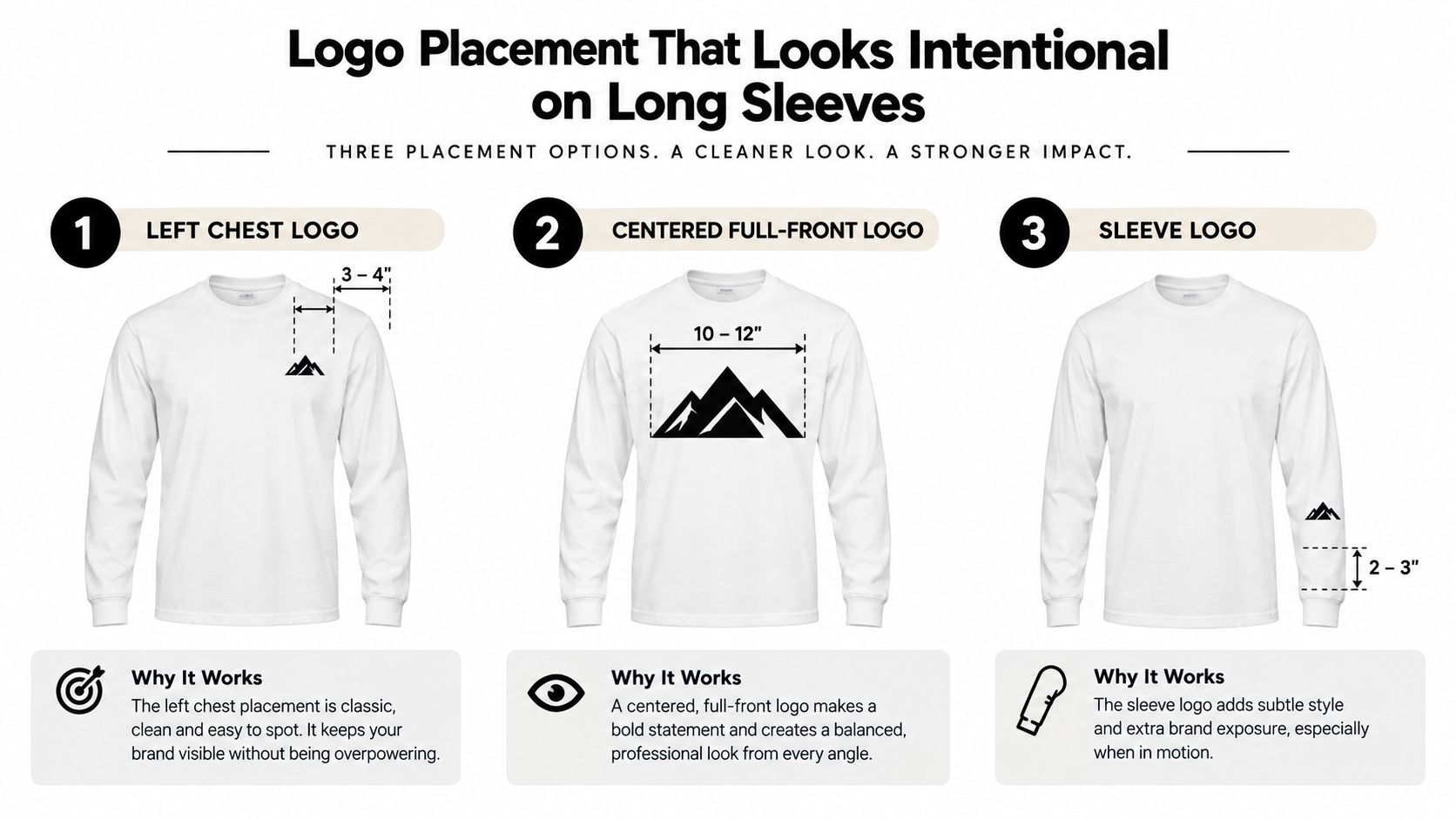
A print can be technically clean and still look wrong because it sits too high, too low, or too close to a seam. Long sleeves add another moving surface: the arm bends, the cuff folds, and the sleeve shifts as the wearer moves. Measure placement on the actual garment instead of positioning the art by eye on a flat screen.
Start with stable landmarks
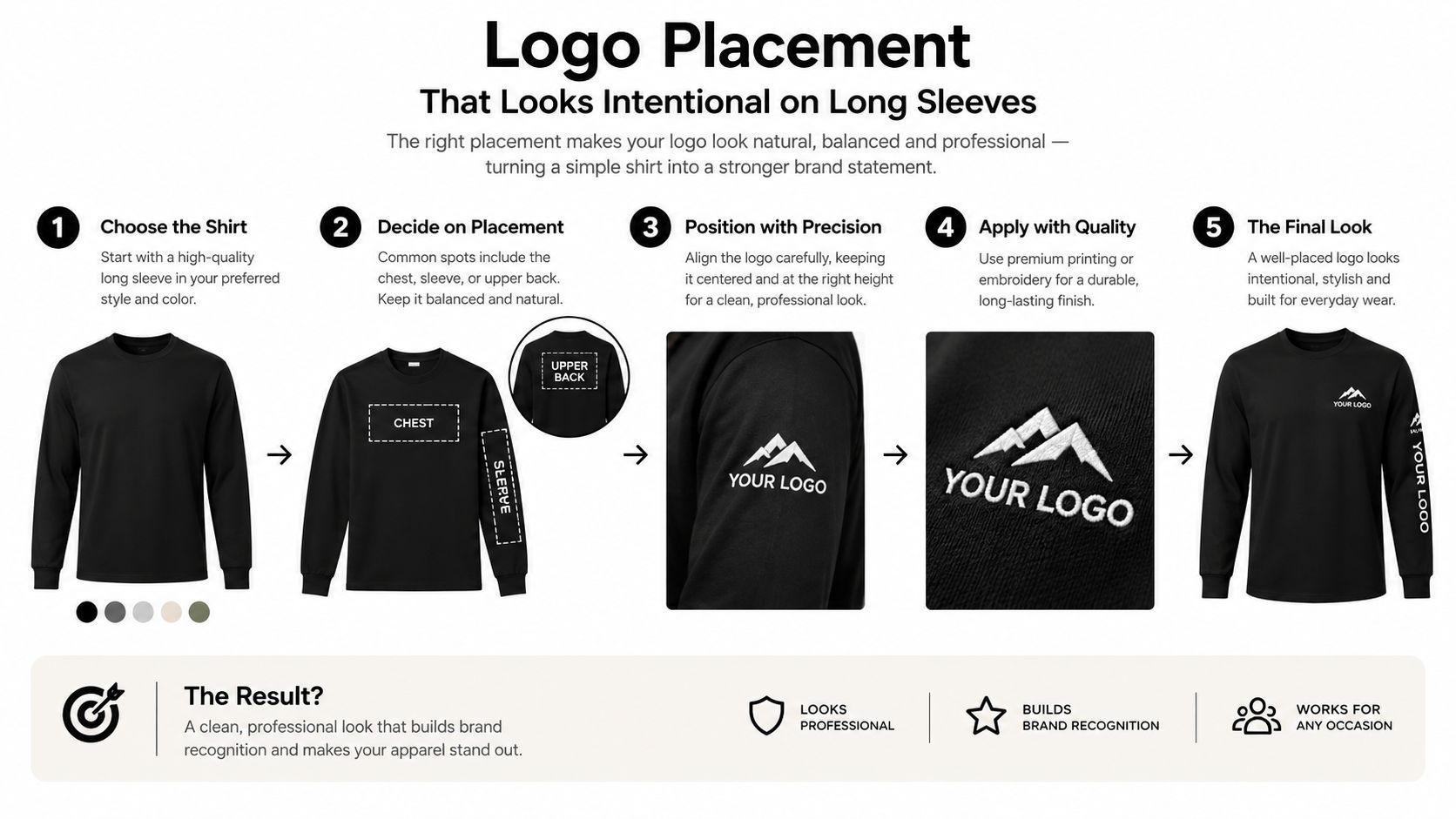
For adult shirts, practical placement benchmarks include a 3–4-inch-wide left-chest mark, a 10–12-inch-wide centered front graphic, and a sleeve mark about 2–3.5 inches wide, typically positioned 3–4 inches above the cuff. These are starting points, not universal rules. Manufacturer templates take priority because garment dimensions and printable areas vary by style. The logo placement guide also recommends measuring against garment landmarks rather than relying on screen scale.
For a back graphic or upper-back mark, ask the printer for the blank's printable-area template and define the location from a consistent seam. Don't reuse front placement measurements for the back. A design that's centered on a flat shirt may shift visually when a person wears it under a jacket or moves their arms.
Check the sleeves while worn
The usual long-sleeve failures are easy to miss on a table. A sleeve graphic can land inside the cuff fold, where it gets covered or flexes repeatedly. On a wider cut, it can drift toward the side seam when the sleeve twists. A front graphic may look balanced at rest but distort when the wearer crosses their arms.
Make a paper mockup at actual size, tape it to a sample shirt, and check it both flat and on a person. Measure from the collar seam, shoulder seam, cuff, and hem. If the shirt has a ribbed or folded cuff, place the mark clear of the fold and confirm the wearer can bend their wrist without pulling the print into the cuff.
Production check: Don't approve one artwork size for every garment size by default. A logo that looks proportionate on a small shirt may appear lost on a larger one, while an oversized graphic can crowd a smaller chest.
If the order spans a broad size range, ask the shop whether separate size bands or placement adjustments are appropriate. Approve the smallest and largest garments in the run when proportion changes matter. That extra check catches a scale problem before it becomes a batch-wide mistake.
Comparing Decoration Methods for Long Sleeve Logo Work
No decoration method wins every job. Choose based on the artwork, fabric, quantity, and the way the shirt will be worn and washed. A detailed full-color logo on a small run presents a different problem from a simple one-color mark repeated across a large order.
| Method | Best detail level | Fabric fit | Durability | Cost curve |
|---|---|---|---|---|
| DTF transfers | Full color, fine lines, gradients | Cotton, polyester, and blends, subject to testing | Depends on transfer, application, fabric, and care | Useful for small batches; sheet or gang-sheet pricing affects unit cost |
| Screen printing | Bold graphics with limited colors | Commonly suited to cotton and cotton-poly; confirm the shop's process | Can be durable when correctly produced and cared for | Setup affects small runs; per-shirt economics can improve on larger runs |
| Heat-transfer vinyl | Simple shapes, names, and numbers | Depends on vinyl and garment compatibility | Edges may be vulnerable to wear if application or care is poor | Practical for one-offs; labor can rise with intricate designs |
| Embroidery | Simple marks and lettering | Many fabrics, but knit weight and design size matter | Stitched decoration, but suitability depends on garment and stitch design | Digitizing and stitch coverage affect cost |
Let the order decide
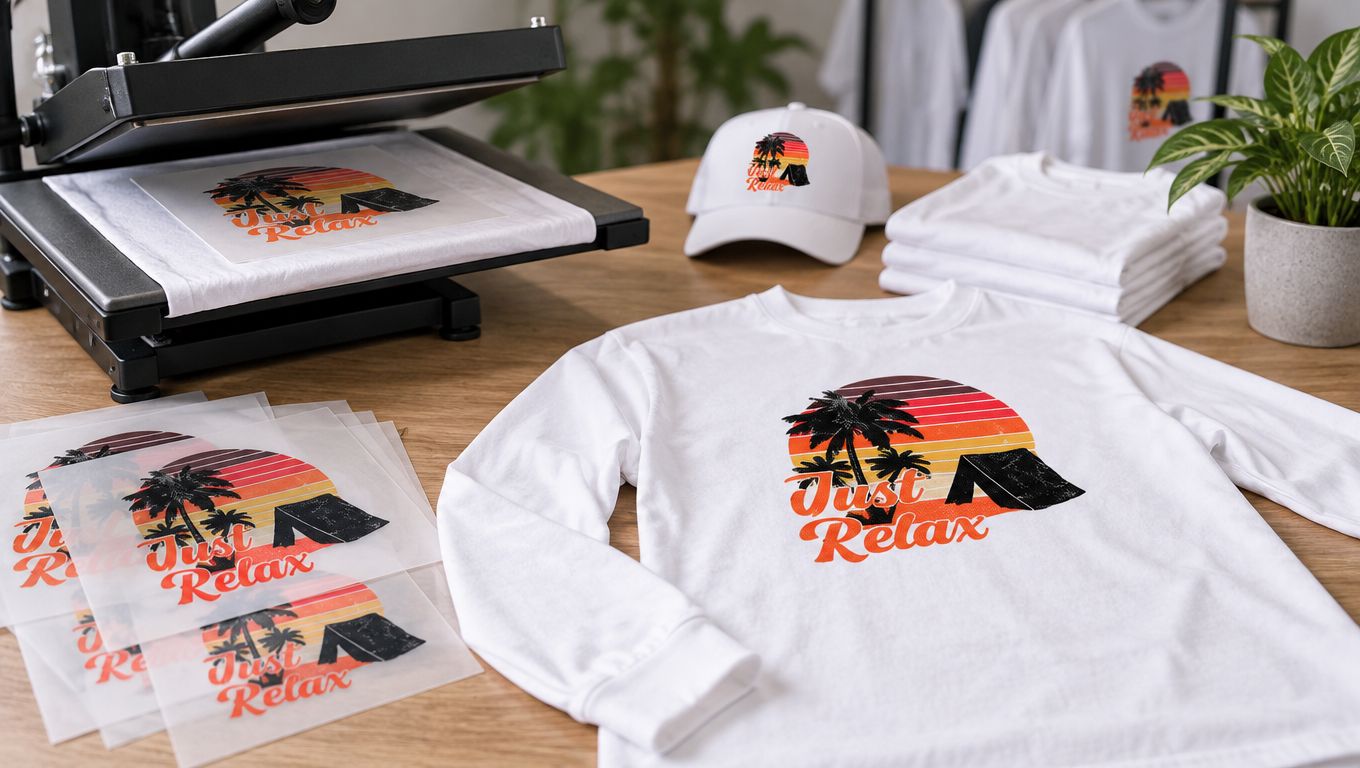
DTF is a strong candidate for small-batch, full-color designs, especially when the artwork includes gradients or fine detail. It avoids the color-by-color setup associated with screen printing, but it still requires correct application. A transfer that suits the art may not suit every blank or cuff area, so test the production fabric.
For a buyer who wants artwork printed as ready-to-press transfers, Custom DTF Transfer by Size: Perfect Prints for Every Project is one example of a size-based option. The product information describes transfers for cotton, polyester, blends, and other materials, with PNG, PDF, and AI files accepted. Confirm the pressing instructions for the exact transfer and garment rather than assuming settings carry over between products.
Screen printing often makes sense for a larger run with simple, solid-color artwork. Its setup can be hard to justify for a small batch, and every added ink color may affect the production plan. HTV is useful for individual names or numbers, but detailed artwork can take time to weed and may feel heavier. Embroidery gives a raised, stitched look for simple logos, though it can be uncomfortable or distort lightweight knit fabric when the design is too dense.
Method test: Ask the shop to assess the actual artwork on the actual garment. A technique that looks good on a sample swatch may behave differently on a stretchy sleeve.
For an overview of different T-shirt printing methods, compare process trade-offs before requesting a quote. Embroidery is more familiar to many buyers from structured accessories; for example, Floofie-approved snapback advice can help illustrate why stitched branding suits some product types better than others.
Pricing and Turnaround Without the Guesswork
A quote reflects more than the blank and the logo. Setup, design complexity, garment tier, quantity, and the production schedule all affect the total. Compare quotes only after confirming they include the same garment, placement, decoration method, and shipping expectations.
Find the real cost drivers
For screen printing, ask whether setup is included and how the number of ink colors affects the quote. For DTF, clarify whether pricing is per transfer, by size, or based on a gang sheet. A gang sheet can make sense when you have several compatible designs to arrange together, but only if the combined artwork uses the sheet efficiently and you can apply the transfers reliably.
The blank can change the budget too. A retail-style or specialty performance garment may cost more than a basic cotton blank, while a different fabric can require a different testing or application plan. Compare the total cost of ownership, not just the quoted shirt price. Exchanges, mis-sized garments, reprints, and replacement blanks can outweigh a small saving if the fit or print method wasn't checked.
Build a calendar backward
A promised turnaround doesn't necessarily mean the finished shirts are at your door. Clarify whether the stated time covers production only or includes transit, and ask when the clock starts. Artwork revisions, blank sourcing, approval delays, and shipping all sit between “quote accepted” and “shirts delivered.”
Request a written timeline with these milestones: final artwork approval, garment confirmation, production start, completion, and dispatch. If a rush charge is offered, ask what it changes. Genuine priority should identify the production or shipping stage being expedited, not merely provide a faster label after the order waits in the same queue.
For an event order, set a date by which sizes and artwork must be final, then get confirmation of the delivery plan from the shop. A realistic schedule protects the budget as well as the event. It gives you time to catch errors while there's still a chance to correct them.
Pressing, Caring for, and Troubleshooting Your Order
A transfer's recommended time, temperature, and pressure are a starting point, not a universal recipe. Use the instructions supplied for the specific transfer, and test them on the exact shirt fabric before pressing the full run. Keep the garment flat, place the design clear of seams and cuffs, and record the settings that worked.
For each production-representative sample, note the blank's composition and color, press settings, and initial appearance. After testing, inspect for edge lift, cracking, peeling, lost opacity, or color migration. The AATCC and ASTM textile standards reference describes recognized approaches for assessing colorfastness to laundering, water, and rubbing. A shop's “wash-resistant” claim doesn't replace a test on your chosen fabric and decoration system.
Wash finished shirts according to the garment and transfer instructions. Turning them inside out and avoiding harsh treatment can help protect the printed surface, but follow the supplier's care guidance first. Let shirts cool and dry fully before stacking; don't pack warm transfers face-to-face.
Sleeve-specific questions
Should a custom cuff be pressed before or after sewing? Ask the garment maker and decorator. A seam or folded cuff can create uneven pressure, so the sequence depends on the construction and equipment. Test the exact assembly rather than guessing.
Why is the sleeve edge lifting? The design may be too close to the cuff or seam, the pressure may have been uneven, or the fabric may have stretched during application. Recheck the placement and test press on the same area of a spare shirt.
Why does a polyester shirt show color through the logo? Dye migration can affect the print. Stop the run, document the fabric and settings, and ask the supplier for a method and test suited to that specific garment.
For branded long sleeves, Raccoon Transfers offers ready-to-press DTF transfers in selected sizes, with full-color artwork support and files accepted in PNG, PDF, and AI formats. Prepare your artwork and garment details, then visit Raccoon Transfers to explore transfer options for your next order.