
Personalized Leather Passport Holders: DTF Transfer Guide
You've approved a name across the front of a passport cover, and the mockup looks right. Then the finished holder arrives: the inside lettering sits beneath the identity page, the stitched spine catches the visa pages, and the passport won't slide out cleanly. The artwork fits the cover, but the cover doesn't fit the document.
Personalized leather passport holders should start with a passport, a ruler, and a paper template, not a print file. Get the interior and usable printing area right before testing adhesive, heat, or pressure.
Measure the Passport and Map Safe Zones
Passports follow an internationally standardized document format, as the Passport Collector history of ICAO standardization explains. Build the holder so the identity page, machine-readable zone, and document edges remain accessible, uncovered during inspection, and unbent.
Passport holder planning dimensions and safe zones
The reference measurements below come from the Alibaba passport-holder product guide: an ID-3 footprint of 125 × 88 mm, a slim cover near 102 × 134 mm, approximately 1 mm leather, artwork clearance of 3–5 mm, and fine-lettering strokes roughly 1.5–2 mm or larger.
| Element | Measurement | Planning rule |
|---|---|---|
| Passport page footprint (ISO/IEC 7810 ID-3) | Standard footprint stated above | Interior must accommodate it with room for insertion and removal |
| Slim finished cover (reference only) | Reference format stated above | Validate against a production sample, not nominal dimensions |
| Leather thickness | Reference thickness stated above; measure actual stock | Subtract leather occupying the closed clearance before setting interior depth |
| Artwork clearance from folds, pockets and stitching | Reference margin stated above | Keep the complete design outside these exclusion zones |
| Fine-lettering stroke width | Reference stroke range stated above | Enlarge delicate lettering if test edges break up |
| Passport thickness growth with stamps and visas | Measure your fullest passport | Set depth using the loaded document, not an empty booklet |
| Card-slot clearance | Measure with your actual card stack | Cards must slide out without bowing the passport |
Build a usable paper template
- Measure the document. Use a ruler for height and width and calipers for closed thickness. Open the fullest passport you carry and check how its pages fan near the binding.
- Account for construction. Measure the holder's closed cavity, then deduct the leather and pocket layers occupying that space. Don't subtract leather again if you're already measuring clear internal depth.
- Draw separate outlines. Sketch the passport footprint and finished-cover reference on paper. Mark them clearly as document size and outside size.
- Mark exclusion zones. Draw the fold, pocket openings, and stitch paths, then inset the artwork boundary using the planning margin.
- Load the card slots. Use the cards the traveler regularly carries. Check that their corners don't press into the passport when closed.
For a broader packing check, the Approved Experiences Traveler flight accessory guide can help you decide what belongs in the holder and what should stay in a separate organizer.
Practical rule: Approve the interior fit before approving the personalization zone or transfer method.
Choosing DTF or UV-DTF and Where the Artwork Goes
DTF versus UV-DTF on passport holder leather
| Factor | DTF | UV-DTF |
|---|---|---|
| Application | Heat press; printed film uses adhesive powder, then the carrier is peeled | Cured adhesive-backed decal applied with pressure |
| Feel on leather | Generally thin and flexible; confirm on the chosen finish | Harder, glossy layer with a noticeable edge |
| Flex across fold lines | Better suited to flexing panels, but keep artwork off the crease | Limited; keep away from folds |
| Abrasion resistance | Verify leather-specific performance with rub testing | Verify supplier scratch-resistance claims on an offcut |
| Best fit | Full-color artwork on flexible exterior panels | Hard-finish logos and initials on firm, compatible panels |
DTF is usually the more practical candidate for a soft cover that bends during use. It still needs leather-specific testing: a flexible print can release from an oily coating, and a large solid graphic can change how the panel feels.
UV-DTF isn't a heat-transfer substitute for every leather surface. Reserve it for firm, smooth panels where the supplier confirms compatibility and the traveler accepts a raised edge.
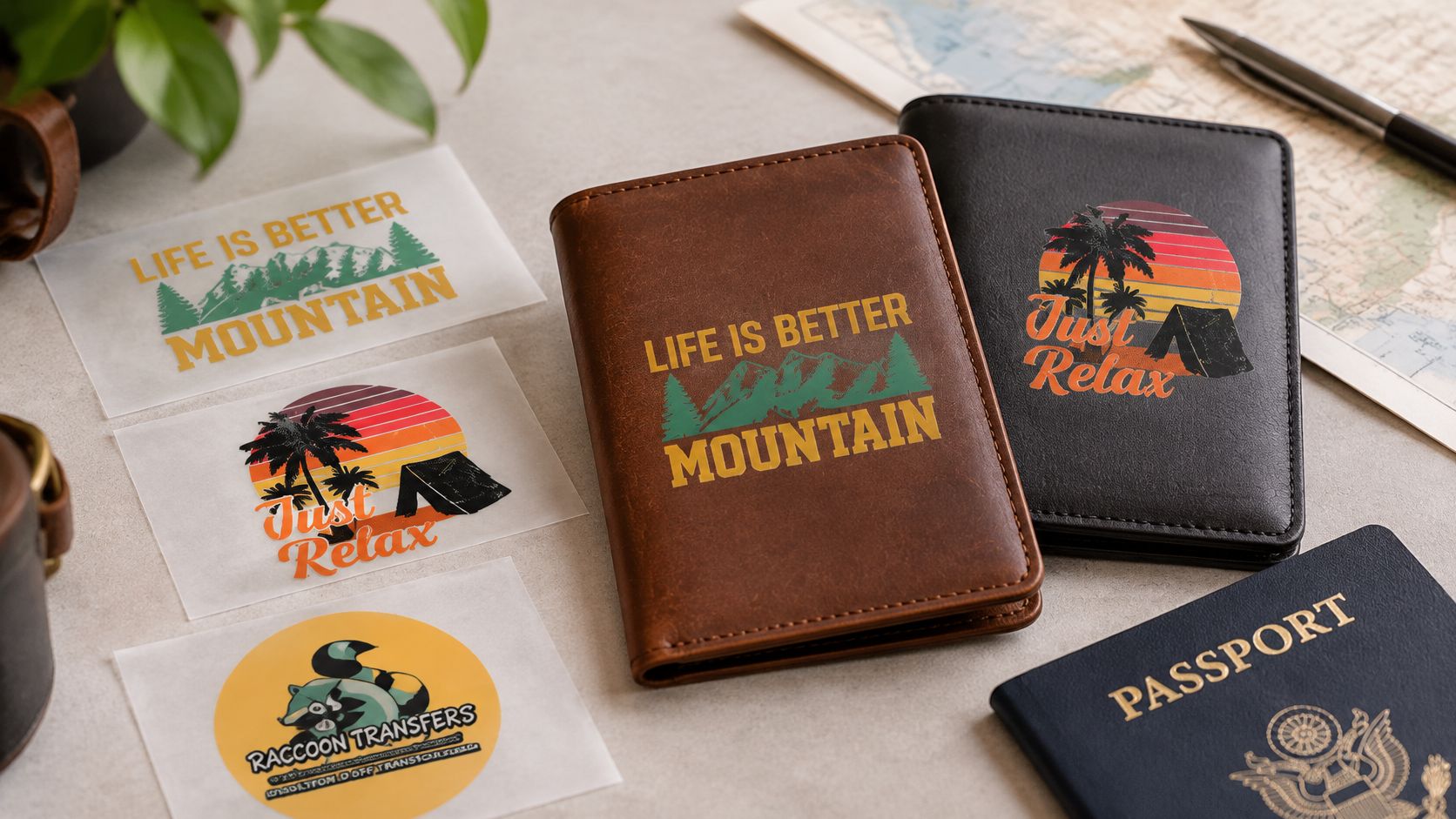
Choose placement for handling, not just appearance
The Maruse leather passport holder page provides a useful product reference when assessing fit and easy document removal. A slim silhouette isn't an advantage if the traveler has to wrestle the passport out at inspection.
An exterior monogram makes identification easy. Interior personalization is harder to inspect after assembly and can create friction against documents, especially where pockets already crowd the cavity.
Before committing, check the paper boundary against the open holder, load the fullest passport, and confirm unobstructed document visibility. The holder must also permit quick removal whenever an official requests it.
For coordinated travel-group merchandise, California Cowboy's guide to styling embroidered apparel for events offers context for matching visual identity without putting the same oversized logo on every item.
Raccoon Transfers offers both transfer types; its material compatibility chart is a starting point for substrate selection. The Custom DTF Transfer by Size: Perfect Prints for Every Project listing includes leather among its stated materials, but that doesn't replace a finish-specific test.
Use the exterior for identification; reserve interior marks for small, nonessential details.
How to Prepare and Test Leather Before Transfer
Leather isn't a uniform printing surface. Grain relief, protective coatings, waxes, oils, and curvature all change how evenly adhesive contacts the surface and how clearly the print reads.
A smooth-looking cover may carry a finish that softens under heat. A heavily textured cover may leave adhesive bridging the valleys instead of bonding across the whole mark.
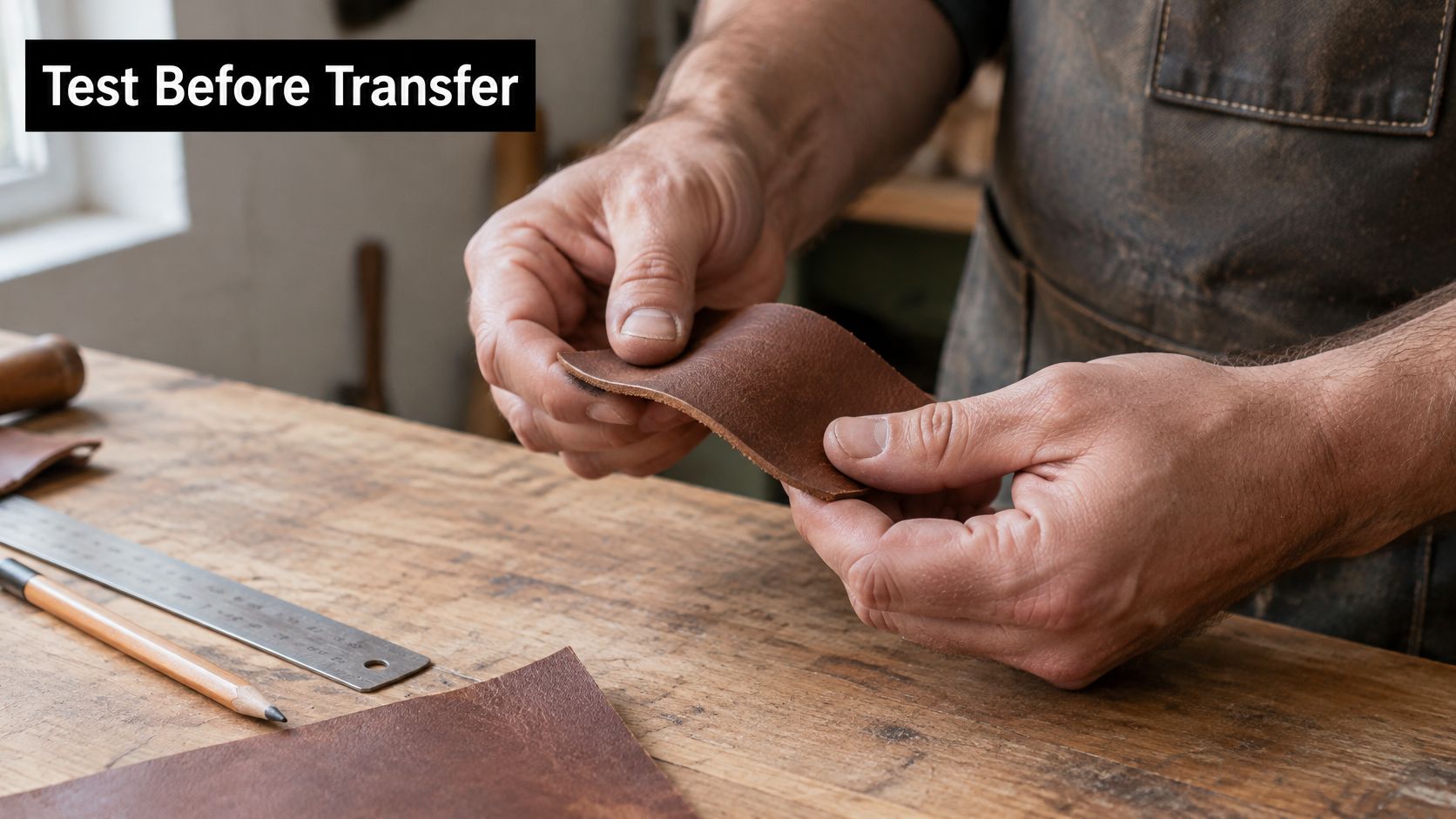
Prepare a representative test
- Select matching scrap. Take an offcut from the production lot, including the same surface finish. Testing unrelated craft leather proves little about the ordered covers.
- Check surface stability. On the scrap, wipe discreetly with a barely damp white cloth. Watch for dye transfer, oily sheen, wax, or a change in gloss; don't soak the leather.
- Clean conservatively. Use a cleaner approved for that leather finish and allow it to dry completely. Aggressive solvent can remove the coating you intended to print.
- Transfer the template marks. Use tested low-tack tape or a removable marking method outside the artwork. Ordinary masking tape can pull finish from delicate leather.
- Level the panel. Flatten it under a clean weight or use a validated conditioning press. Don't crush the grain trying to eliminate a construction ridge.
- Apply a diagnostic mark. Include a narrow line, a letter, and a small solid area. A solid square alone won't reveal whether fine lettering survives.
- Keep a press log. Record temperature, pressure, dwell, peel condition, cooling, leather lot, and transfer batch. Change a single setting between trials so the result is interpretable.
Urban Totes' guide to compare tote bag materials is useful when planning mixed-material merchandise: don't carry a successful fabric recipe straight onto leather.
Say a maker skips the offcut and presses a monogram onto dark covers. The white looks dull, so they add heat, only to create a shiny rectangle around the lettering.
A failed offcut is a test result. A failed personalized cover is a replacement job.
Approve sharp edges, even color, unchanged leather gloss, and adhesion that survives normal bending.
How to Apply the Transfer Step by Step
Starting transfer settings for leather covers
| Setting | Starting point | Adjust when |
|---|---|---|
| Press temperature | Supplier's leather-approved setting, confirmed on the matching offcut | Reduce and retest if grain darkens or the surface shines |
| Dwell time | Validated dwell from the offcut log | Test longer dwell for incomplete bonding; stop if discoloration appears |
| Pressure | Medium cushioned pressure as an initial trial, if permitted by the supplier | Check platen contact before increasing pressure for patchy lettering |
| Preheat | Brief conditioning only if the leather and transfer instructions permit it | Adjust when cold stock causes inconsistent results |
| Cover sheet | Clean protective sheet approved for the transfer system | Replace if contaminated, creased, or transferring residue |
| Peel method | Film supplier's specified peel condition | Stop if ink lifts; verify temperature and timing before continuing |
| Cool-down before handling | Fully cool and flat | Allow longer when the assembly retains heat |
There isn't a universal leather temperature or dwell time. The transfer's adhesive must activate before the leather finish discolors, hardens, or changes gloss; if those requirements don't overlap, choose another blank or decoration method.
The illustrated process is a visual sequence, not permission to use its numerical settings on an untested cover. Use the supplier's leather-compatible instructions and your approved offcut recipe.
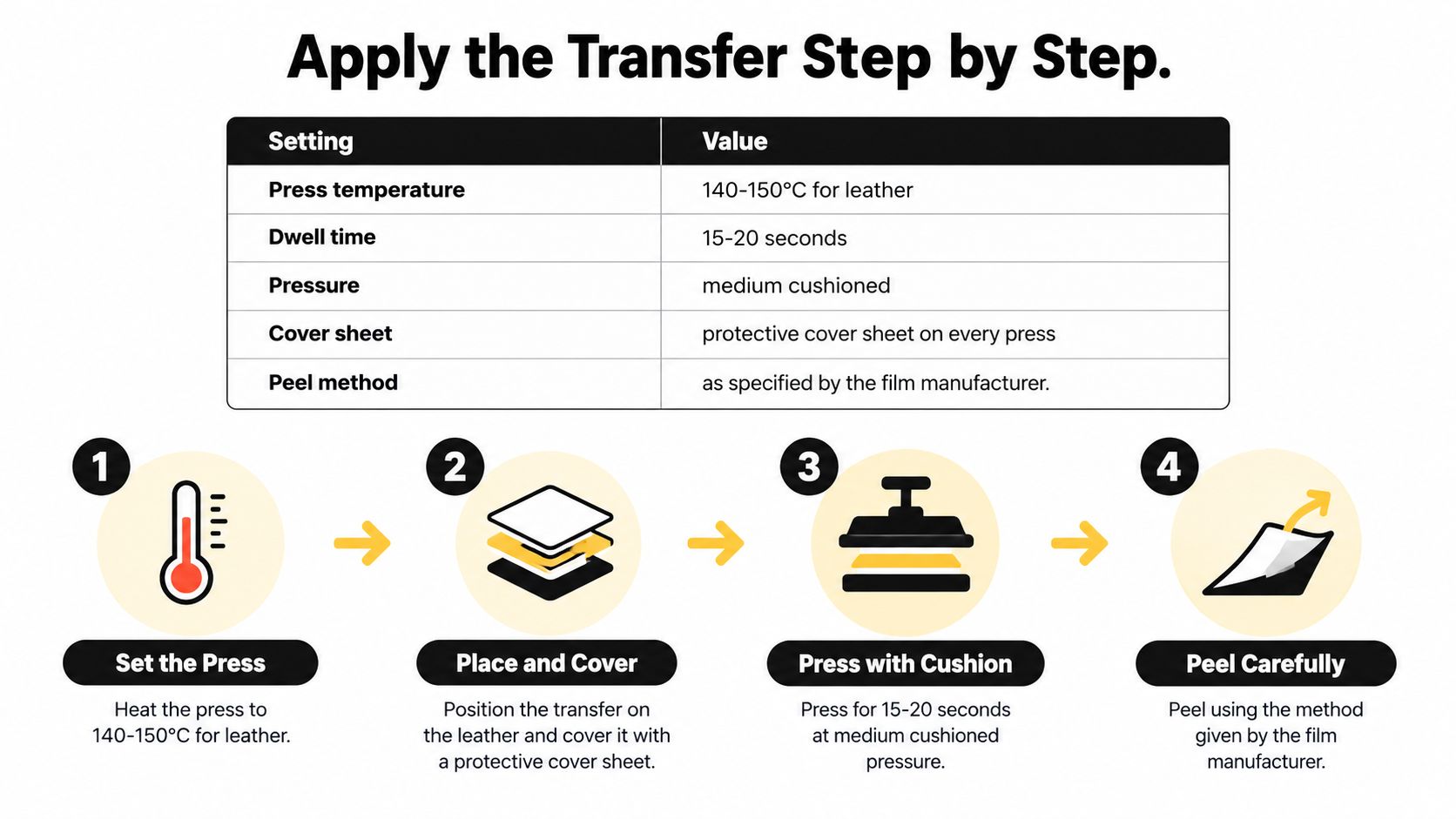
Run the approved press sequence
- Stabilize the press. Let the platen reach its setpoint and verify surface temperature with a suitable contact probe. Remove the passport, cards, and packaging before the holder approaches the press.
- Trim the carrier. Leave enough clear film to handle and secure the design. Cutting against the printed edge makes accurate placement harder and can disturb delicate details.
- Support the printing panel. Isolate the exterior face on an appropriate pressing pad or small platen. Keep bulky pockets, snaps, and stitched ridges from taking the pressure intended for the artwork.
- Position and secure. Align the transfer against the paper template, then use heat-resistant tape that has passed a finish-removal test. Don't rely on the cover's outside edge if the stitching is slightly uneven.
- Cover and press. Apply the protective sheet and run the approved recipe. Keep your hands clear and avoid moving the holder as the platen closes.
- Peel deliberately. Follow the film's specified hot, warm, or cold peel method. Support the leather and pull steadily rather than jerking the carrier upward.
- Assess any lifted edge. Stop before committing to a second press. If the supplier permits a finishing press, protect the print and use the tested finishing cycle; repeated heat can damage an otherwise usable cover.
- Cool flat. Leave the panel supported and untouched until it reaches room temperature. Don't stack warm covers or close the holder against a newly applied mark.
A cold blank can absorb enough heat to change the result of the opening cycle. Condition the stock consistently rather than automatically adding dwell to the first cover.
For equipment setup and leather-specific precautions, use the heat-pressing leather guide alongside the transfer supplier's instructions.
Quality Checks and Fixes Before the Holder Ships
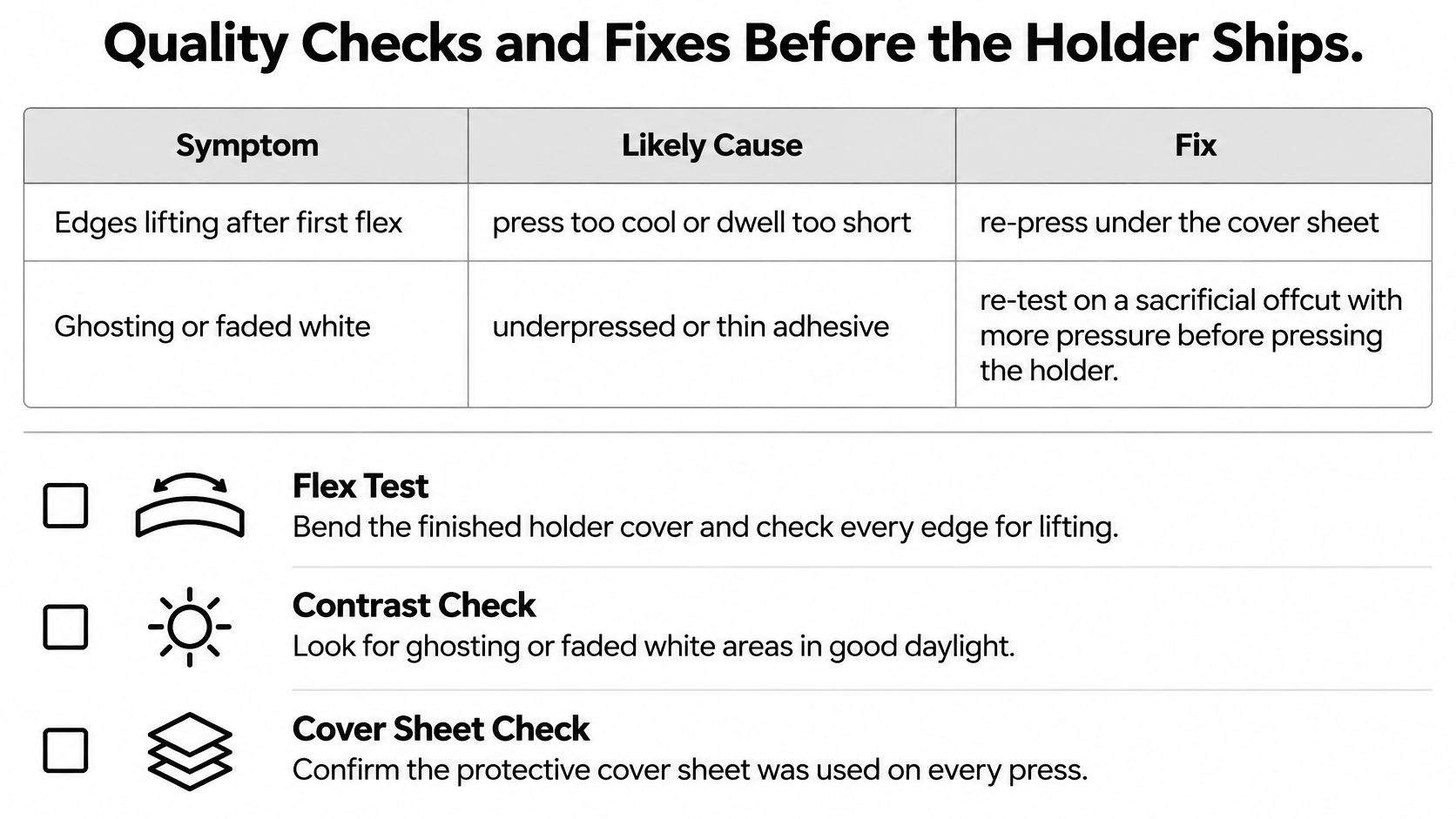
Symptom, cause and fix for finished transfers
| Symptom | Likely cause | Fix |
|---|---|---|
| Edges lift after first flex | Insufficient activation, poor contact, or incompatible finish | Validate a corrected press on an offcut before attempting an approved re-press |
| Ghosting or faded white | Underpressing, unsuitable white layer, or uneven adhesive | Check contact and transfer construction; test pressure changes on scrap |
| Leather darkens or shines | Excess heat or compression | Reduce thermal exposure and retest; quarantine visibly damaged covers |
| Cracking at a fold | Artwork crosses a high-strain crease | Move the design and produce a replacement |
| Blistering under the print | Moisture, surface contamination, or finish reaction | Identify the cause on scrap; clean and dry a fresh test piece |
Don't treat every pale print as a pressure problem. If the carrier shifted, you may have registration ghosting; if the white is uniformly weak, the transfer itself may need investigation.
The infographic summarizes common checks, but its fixes still need validation against the actual leather and film. A re-press won't reliably repair contamination or reverse heat damage.
Inspect at production gates
Use the defect-category approach described in the INJOLE leather-production quality-control paper, rather than relying on a final glance at the finished name.
- Incoming leather: Separate scars, inconsistent coating, and abnormal surface feel before cutting.
- Cut parts: Compare the panels with the approved template. Check pocket openings as well as outside dimensions.
- Personalization: Inspect spelling, orientation, registration, edge definition, and coverage under neutral light.
- Assembly: Check stitch tension, secured ends, pocket alignment, and whether the loaded cover closes without force.
- Packaging: Look for scratches, tissue impressions, adhesive residue, and rubbing between the print and packaging.
Reject criteria: Don't ship illegible names, exposed adhesive, failed structural stitching, or anything that obstructs passport use. Grade acceptable natural cosmetic variation separately.
Rub the cooled print with a clean white cloth, flex the panel through its normal opening movement, and inspect the edges again. Use a dummy booklet for routine fit checks so production handling doesn't damage a real travel document.
Record defects by type and workstation. Calculate first-pass yield as accepted units divided by total units, keeping reworked pieces separate from those accepted without intervention.
Photograph each batch beside an approved master sample under the same neutral lighting. A weekly Pareto review helps you choose the recurring defect to fix instead of adjusting the press after every isolated complaint.
The quality assurance processes guide can help organize those records into a repeatable release check.
Order a Test Cover Before the Batch
Order a test cover with the artwork at final size before committing to production. An offcut establishes surface compatibility; an assembled sample reveals pressure problems caused by seams, pockets, and hardware.
For ordering, you can upload a prepared DTF gang sheet, build a sheet containing different names and artwork sizes, or select a transfer by size. Free mockups can help preview placement, but a screen preview can't prove adhesion or document fit.
Budget for the finished item
For retail context, in 2026 Contrado listed its custom leather passport cover from $46.45, with product weights of 40 g for the small size and 60 g for the large size. In 2026, Inserif listed personalized leather passport holders at a sale price of $85.00.
Those are finished-product references, not transfer prices or wholesale quotes. Include blanks, decoration, rejected samples, labor, and packaging when checking your own cost; weigh the packed sample before estimating postage.
Release the batch only after the assembled sample passes. Keep that sample, its approved artwork, and its press log together so a repeat order has a clear production standard.
Raccoon Transfers offers custom DTF and UV-DTF transfers, artwork uploads, and gang-sheet tools for preparing personalized designs. Visit Raccoon Transfers to choose a transfer format for your measured layout, and validate it on matching leather before ordering the batch.