
Custom Apparel Design: From Idea to Print-Ready Files
You've approved a sharp mockup, picked a blank that fits your budget, and started collecting sizes. Then the order arrives, and the logo looks too low on smaller shirts. Or the placement looks right, but the print starts lifting after washing. The artwork wasn't necessarily bad. The decisions around it weren't connected.
Custom apparel design is a system, not just a graphic on fabric. Your garment choice affects color, placement affects perceived fit, and production settings affect whether the finished product survives the care instructions you give buyers. For a small brand, those connections determine whether an order earns money or creates a pile of remakes.
Custom Apparel Design Workflow at a Glance
Say you approve a digital preview and order a batch without checking a physical sample. Every shirt matches the approved file, but the graphic sits awkwardly when someone wears it. The printer followed the artwork. The missing instruction was how that artwork should relate to the garment.
Digital production makes flexible artwork practical. An Imaging Science and Technology paper on digital textile printing describes how digitally controlled printing supports personalization and variable designs without making new physical screens for each change. That flexibility helps small brands, but it doesn't replace production specifications.
The approval gates
- Concept produces a wearer-focused brief. Name who wears the garment, where they wear it, and what it communicates. Can someone outside your business identify the intended buyer?
- Artwork produces a print-ready master. Supply vector artwork or a raster file prepared at final output size. Does the design remain clear when viewed at actual print scale?
- Color produces an approved reference. Check a physical sample on the intended garment, not just a monitor.
- Mockup produces a placement specification. Record dimensions and reference points. Does the layout work across the size range?
- Production produces an approved sample. Confirm appearance, application, and performance under the intended care instructions.
- Pricing produces a viable selling price. Include labor, waste, fulfillment, fees, and a reserve for returns.
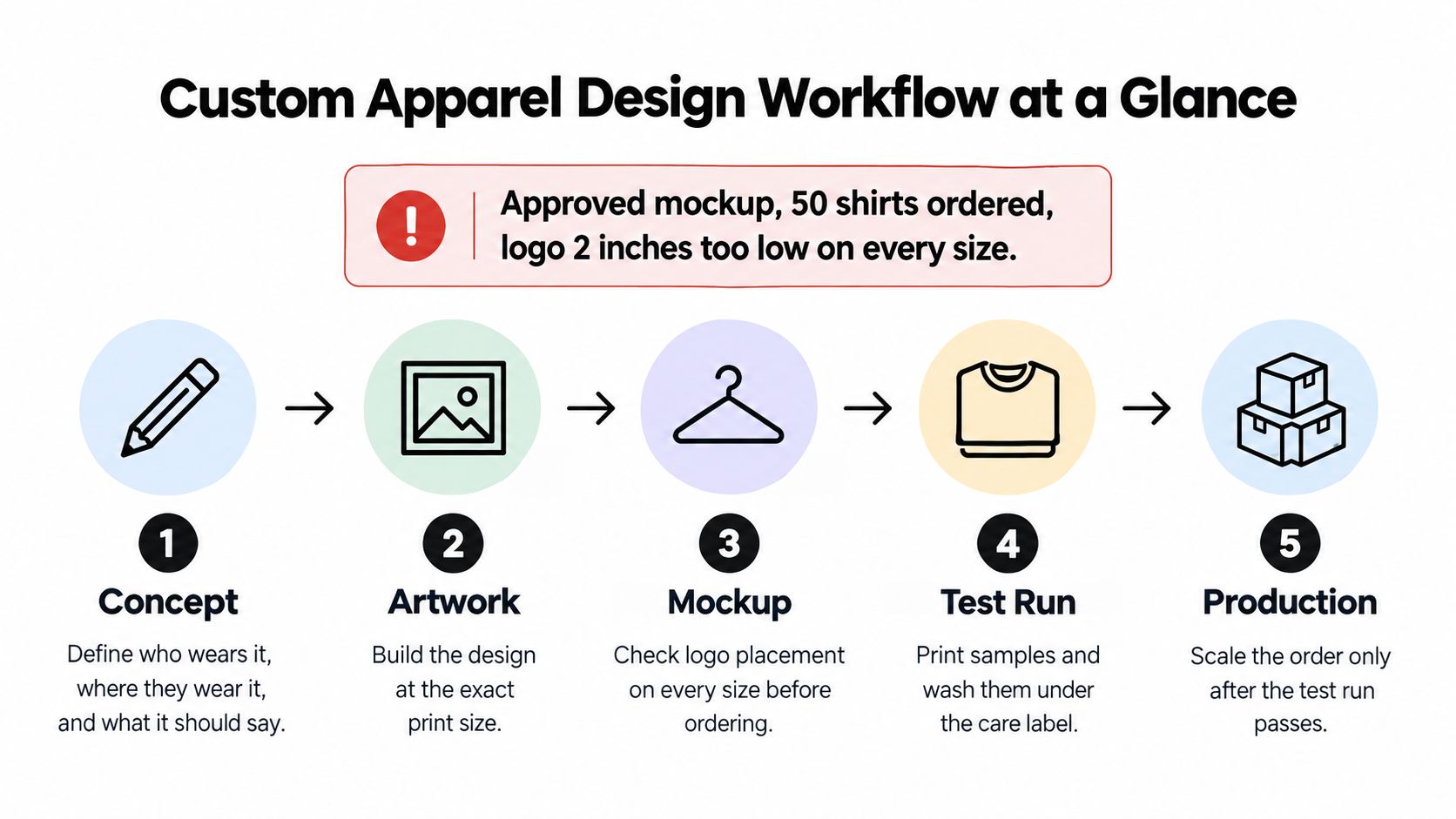
The visual groups the main production activities; color approval and pricing still need their own signoffs. Keep the approved file, garment specification, placement sheet, and sample notes together.
If approvals currently live across messages and spreadsheets, AmaJova's guide can help you improve your customer order process. Treat each checkpoint as a gate, and work through the decisions in order rather than sending unresolved questions to the press operator.
Developing a Concept Your Buyers Will Wear
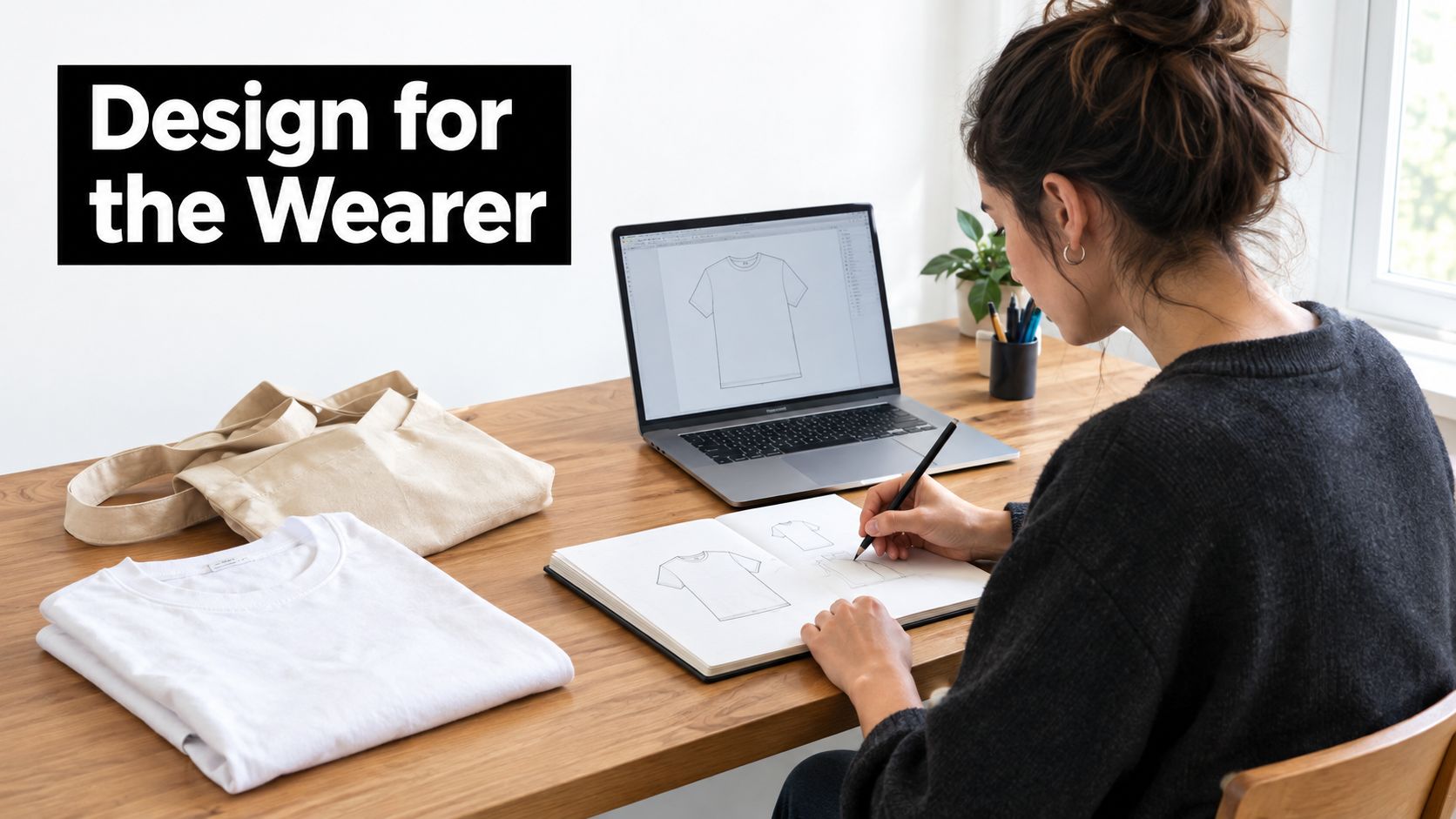
A concept is a sentence before it becomes artwork. Start with the wearer's situation, not a font search or an image-generator prompt.
For a bakery crew tee, your brief might describe staff working a busy weekend shift who need to look approachable and recognizable behind the counter. A race finisher's shirt has a different job: it marks an achievement and should feel worth wearing after the event. The same illustration skills can serve both, but the message, garment, and visual hierarchy shouldn't be interchangeable.
Write the brief before drawing
Build the sentence around who, where, and meaning. A useful bakery brief could be: A comfortable crew shirt for counter staff that makes the bakery name easy to recognize and communicates a friendly neighborhood identity.
That sentence helps you reject unnecessary elements. A detailed storefront illustration might work as a back graphic, while a complicated menu won't help someone identify staff quickly. Develop a compact version for chest placement instead of shrinking the entire composition until its lettering disappears.
Keep creative ownership visible
Generative AI can help explore shapes, moods, and composition, but it isn't clearance to commercialize whatever appears. Check the tool's commercial-use terms, retain prompts and source files, and keep records of your own drawing, lettering, and layout decisions. Human editing isn't an automatic guarantee of copyright protection or freedom from infringement.
Avoid recognizable brands, characters, and prompts built around copying a living artist's style. Screen proposed names and slogans for trademark conflicts, and seek qualified advice when a design's commercial value depends on uncertain rights.
Before production, inspect AI-assisted artwork for:
- Distorted lettering. Rebuild text with proper typography rather than trying to repair misshapen characters.
- Fragile details. Simplify marks that won't survive reduction to the intended print size.
- Weak contrast. Separate the main subject from both the background and garment.
- Transparency errors. Remove halos, unwanted backgrounds, and isolated pixels.
A concept succeeds when the intended buyer understands it without hearing your explanation.
Show the design briefly to someone unfamiliar with the project, then ask what it says and who would wear it. You're designing a physical product with customer consequences, not just a compelling preview, a useful distinction alongside Reveni's discussion of fashion returns.
Preparing Artwork Files for Clean Print Results
Prepare raster artwork at final print size. A practical starting specification is 300 DPI, subject to your printer's requirements. For example, a hypothetical logo printed four inches wide needs 1,200 pixels across at that resolution; enlarging a smaller image won't restore missing detail.
Vector artwork suits logos, lettering, and clean line drawings because the paths scale without becoming blurry. Photos, painted textures, and complex gradients usually belong in raster files. A PDF can contain either, so the extension alone doesn't tell you whether the artwork is suitable.
Match the file to the element
Artwork file formats and prep checks by element
| Artwork element | Format and resolution | Prep check |
|---|---|---|
| Logo or line art | Vector AI, EPS, or PDF | Scales without blur; outline all text |
| Photo or gradient | PNG at 300 DPI at final print size | Remove the background when required; inspect at actual print size |
| Full-color illustration | PNG or PDF with raster content at 300 DPI | Delete unwanted hidden layers; clean stray pixels |
| Typography | Outlined text or embedded fonts | Check spelling, kerning, and line spacing at print size |
| Gang sheet element | PNG, PDF, or AI, with raster content at 300 DPI | Leave cutting clearance; confirm orientation and mirroring instructions |
These are preparation targets, not a promise that every printer accepts every format. Confirm the supplier's upload requirements before exporting.
A screenshot pulled from social media is a poor production master. Compression can damage edges, and enlarging it often exposes blocky curves. Ask for the original logo file or redraw the artwork rather than applying a sharpening filter to a damaged copy.
Inspect what will actually print
View transparent artwork against both light and dark backgrounds. A white rectangle may be intentional on screen but become an unwanted box on a dark shirt. Check beyond the visible composition for stray pixels that can create specks, and convert final lettering to outlines while keeping an editable master.
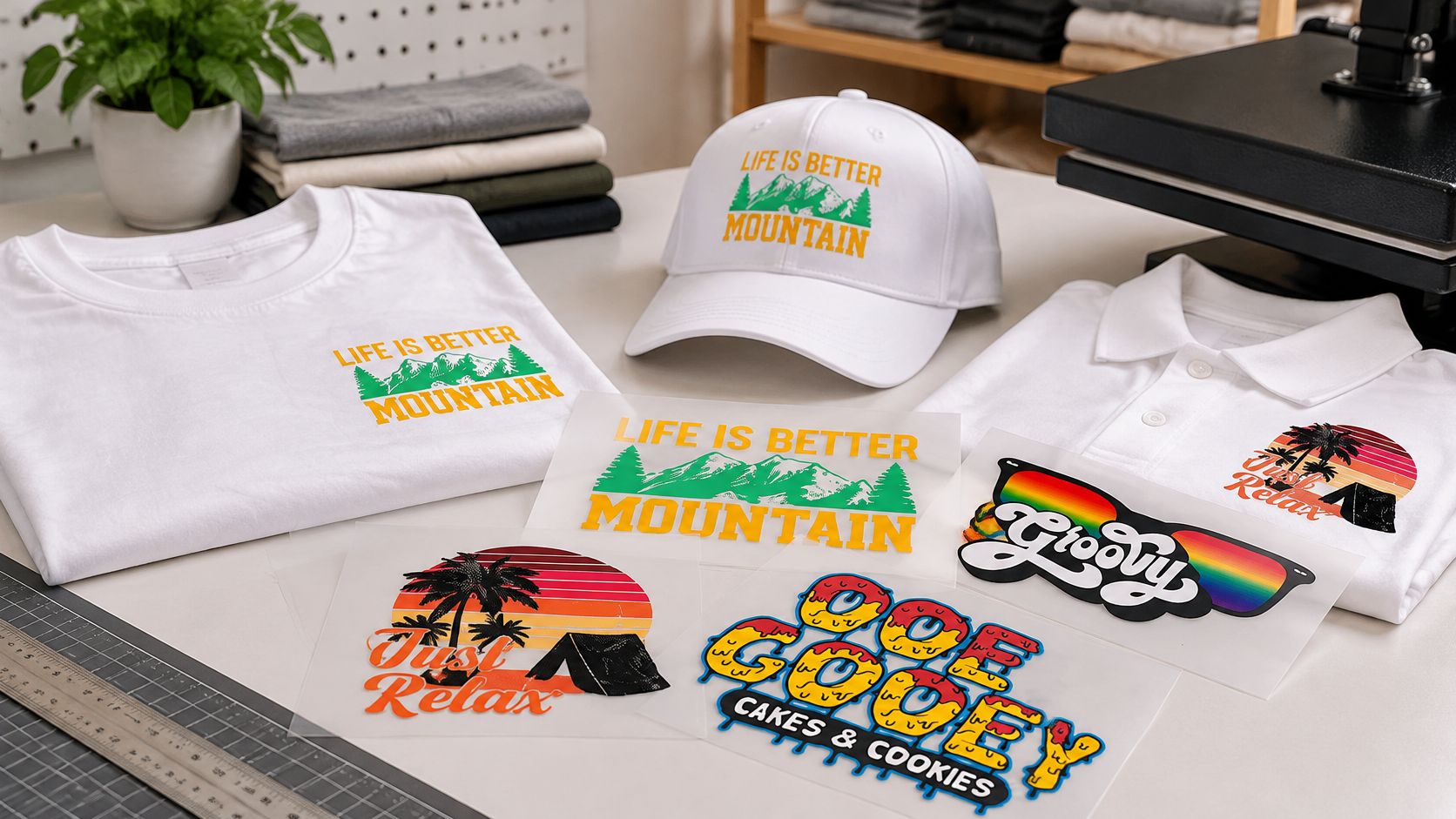
For a by-size transfer workflow, Custom DTF Transfer by Size: Perfect Prints for Every Project accepts PNG, PDF, and AI files and instructs customers not to mirror uploads, because its production system handles orientation. Other suppliers may use different rules, so never flip artwork automatically.
Designing in RGB is convenient for screen work, but confirm the printer's requested color mode and profile. Use the artwork preparation guide as an export checklist, then name the approved file with the design, print dimensions, revision, and approval date. Keep obsolete versions outside the production folder.
Matching Colors to Garments and Care Conditions
A color on your monitor isn't an approved garment color. You're comparing emitted light with ink, an underlying print structure, and textured fabric. Even a calibrated display can't replace a physical swatch.
Choose the blank before final color approval. Heather texture, garment dye, fabric composition, and the decoration method can all change the result. A pale graphic that looks deliberate on white may look muddy on cream or disappear against a similar garment shade.
Approve the whole color system
| Garment color | What to check | Practical approval action |
|---|---|---|
| White or very light | Pale tints and unprinted areas may blend into the garment | Test light colors and transparent areas on the actual blank |
| Mid-tone or heather | Garment texture and insufficient opacity can alter the graphic | Confirm the method's white-underbase strategy and inspect fine gaps |
| Black or very dark | Printed colors may require an opaque white foundation | Check pale colors, thin lines, and underbase registration |
| Repeat production batches | Blank shade or print output may differ from the approved sample | Compare each batch with the retained physical reference |
An underbase is method-specific. Some workflows require it beneath colored areas; others use it selectively. Ask the printer how the approved appearance will be built rather than assuming every light garment prints without white or every dark-garment design uses an identical foundation.
For repeat orders, identify brand colors with a standardized reference such as Pantone, while agreeing on an achievable match for the chosen process. If the collection also includes stitched hats, embroidery color advice from Dirt Cheap Headwear is useful context for coordinating thread and printed pieces. Don't expect thread sheen and printed ink to look identical in every light.
Include washing in color approval
ISO 105-C10:2006 defines five washing methods, ranging from mild to severe, for evaluating textile color resistance to household washing. Separate procedures address domestic and commercial laundering under ISO 105-C06 and oxygen-bleach exposure under ISO 105-C09.
A print can look correct immediately after pressing and later show shade change or staining when exposed to detergent, heat, water, abrasion, or bleach. A cold household wash won't represent a uniform sent through commercial laundering or a garment regularly exposed to oxygen bleach.
Make the approval record specific:
- Color reference and substrate. Record the target color, blank style, garment composition, and approved swatch.
- Print location. Identify the decoration zone and any seams or fabric changes nearby.
- Care conditions. Specify detergent assumptions, wash temperature, drying method, and bleach restrictions.
- Release criteria. Record both color change and staining on adjacent fabric, not just whether the graphic remains recognizable.
Practical rule: Approve the color customers will live with, not only the color that leaves the press.
Keep the signed physical sample protected from light and contamination. It gives both designer and printer a better reference than a screenshot attached to an old message.
Placement, Sizing and Mockups Before You Order
A buyer can receive exactly the graphic shown online and still dislike the shirt. The print may sit too high, stretch across the chest, or look oversized on a smaller body. Those are design problems even when the ink is flawless.
The Bold Metrics guide to apparel sizing-data fragmentation identifies fragmented sizing information as a contributor to up to 70% of apparel returns. That's a reason to improve measurement information, not a forecast of your own return rate.
Specify measurements instead of trusting labels
Publish garment measurements rather than relying only on small, medium, or large. Explain how you measure chest width and body length, and whether the measurements describe a flat garment or body dimensions. Don't mix those systems in the same chart.
Test representative bodies across the range. Ask where the shoulder seam lands, whether the hem length works, and how the graphic behaves during sitting or reaching. A size-selection widget can't correct an inaccurate chart or a print that ignores the garment's proportions.
Use this placement sheet as a starting framework, not a universal dimension chart.
Typical print areas and placement on an adult tee
| Placement | Typical print area | Placement note |
|---|---|---|
| Full front | Within the clear torso panel, below the neckline | Grade the graphic for smaller sizes and check it while worn |
| Full back | Within the flat back panel | Measure down from a defined neckline reference |
| Left chest | Compact mark within the wearer's chest area | Check visual position on a body, not just distance from the side seam |
| Sleeve | Inside the clear sleeve panel | Keep text short and clear of seams and folds |
| Within the usable sewn pocket face | Check the actual pocket shape and use appropriate pressing support |
Grade the artwork as well as the garment
Don't assume the same physical graphic should cover every size. For example, a hypothetical twelve-inch-wide front design may work on a roomy adult blank but overwhelm a child's tee. Create size groups with approved artwork dimensions instead of shrinking or enlarging files informally at the press.
Measure samples before and after washing. If the blank changes shape, the print's relationship to the neckline and hem changes too. Record the observed behavior rather than adding an arbitrary shrinkage allowance.
- Flat-lay mockup. Show the artwork at real scale on the correct blank silhouette, beside the size chart.
- Placement specification. Record print width, height, orientation, and distance from a stable reference point.
- Fit-sample photograph. Use a body reasonably representative of your buyers and identify the garment size.
- Structured feedback. Ask about shoulder fit, body length, print scale, and print position separately.
More size choices don't fix unclear measurements. They can simply give buyers more opportunities to choose incorrectly.
A supplier-provided mockup can help resolve placement before ordering, but it remains a preview. The release decision should come from the actual garment on a body, with the approved dimensions recorded.
Choosing a Production Method for Your Design
Choose the method around design repetition, garment compatibility, and total order cost. A detailed illustration sold in changing small batches has different economics from a simple logo reordered on the same uniform.
Also consider who does the work. Ordering finished garments avoids your own pressing labor, while ready-to-press transfers give you more control over inventory and timing. Neither arrangement eliminates quality control.
Compare the production trade-offs
Production methods compared for custom apparel
| Method | Best run size | Color and detail | Hand feel | Setup and prep |
|---|---|---|---|---|
| DTF transfers | Individual pieces through mixed-design batches | Full color, fine lines, and gradients | A bonded print layer; coverage affects feel | Print film, powder, cure, and press |
| DTG, direct-to-garment | Short runs and changing artwork | Detailed full-color artwork on compatible garments | Often soft on suitable cotton; pretreatment affects results | Garment preparation and pretreatment as required |
| Screen printing | Repeated designs where setup can be spread across the order | Strong spot colors; process techniques support more complex imagery | Ink and coverage determine thickness | Separate screens and setup for the required separations |
| Heat-transfer vinyl | Names, numbers, and simple custom graphics | Strong solid shapes and text; gradients need another approach | Large areas can feel heavy or stiff | Cut, weed, position, and press layers |
Screen printing isn't limited to simple artwork, but complex separations add work. DTG isn't automatically the softest choice on every blank, and a large solid DTF graphic won't feel like unprinted fabric. Compare samples with similar coverage rather than judging each method from unrelated showroom pieces.
The DTF versus DTG printing guide can help narrow that comparison when full-color digital decoration is the likely route.
Understand the DTF sequence
If you buy ready-to-press transfers, your supplier handles the printing, powdering, and curing stages. Understanding them still helps you identify where a defect may have originated.
- Print onto film. Use the production system's specified orientation and ink arrangement.
- Apply adhesive powder. The powder attaches to the wet printed area.
- Cure the adhesive. Follow the ink, film, and powder system's requirements.
- Position the transfer. Keep seams, folds, and uneven surfaces from disrupting contact.
- Press under the specified conditions. Use the supplier's time, temperature, and pressure instructions.
- Peel as directed. Hot, warm, and cold peel films aren't interchangeable.
Test dark polyester and unfamiliar blends before committing blanks. Watch for dye migration, scorching, pressure marks, and poor adhesion. Fabric coatings or surface treatments may also interfere with bonding.
For mixed artwork, a gang sheet can combine saleable designs into a shared print area. Leave enough cutting clearance, and don't fill spare space with graphics you won't use just to make the sheet look efficient. A transfer supplier offering both by-size ordering and a custom gang sheet builder gives you a way to compare those layouts before buying.
Pricing and Scaling a Custom Apparel Line
Start with the full cost stack, not the blank plus the transfer. A garment can appear profitable until you count trimming, failed applications, packaging, customer messages, and replacement postage.
Cost lines in a custom garment price
| Cost line | What to include | Common miss |
|---|---|---|
| Blank garment | Purchase cost and an allowance for unsold sizes | Money tied up in the wrong size mix |
| Print or transfer | Decoration cost by printed size | Gang sheets save only when their contents are useful |
| Press and labor | Preparation, pressing, trimming, inspection, and packing | Treating the owner's time as free |
| Packaging and shipping | Mailer, label, postage, and fulfillment materials | Shipping can exceed decoration cost on individual orders |
| Returns and remakes | A reserve informed by actual sales experience | Return postage and replacement labor |
| Platform and payment fees | Marketplace, payment, and applicable transaction charges | Calculating margin before fees |
| Margin target | Retail revenue minus the complete cost stack | Choosing a selling price before calculating costs |
Separate demand from profitability
A growing category doesn't guarantee a profitable design. Rawshot's custom-apparel industry compilation estimates the global custom T-shirt market at $1.95 billion in 2023, with a projection of $3.72 billion by 2030. Those estimates describe a broad category, not demand for your particular collection.
Calculate contribution per sale before increasing inventory. If you offer free shipping, include the postage you absorb. If customers pay shipping, check whether fees and packaging still leave an uncovered cost.
Use the custom-shirt pricing guide to organize the calculation, then replace assumptions with your own order records.
Scale according to evidence
- Initial design test. Buy only enough decoration and blanks to validate appearance, fit, care performance, and buyer interest.
- Mixed-design replenishment. Combine proven graphics on gang sheets where the layout reduces the cost of usable transfers.
- Repeat-design production. Request competing transfer and screen-printing quotes using the same artwork, blank, quantity, and finishing requirements.
There isn't a universal quantity where screen printing becomes cheaper. Color count, setup charges, labor, coverage, and reorder frequency all affect the comparison.
Shipping thresholds can influence purchasing, but extra inventory isn't free just because it qualifies for delivery savings. Increase volume only when wash results, fit feedback, and actual return reasons support the decision.
Confirm Your First Test Run Before Scaling
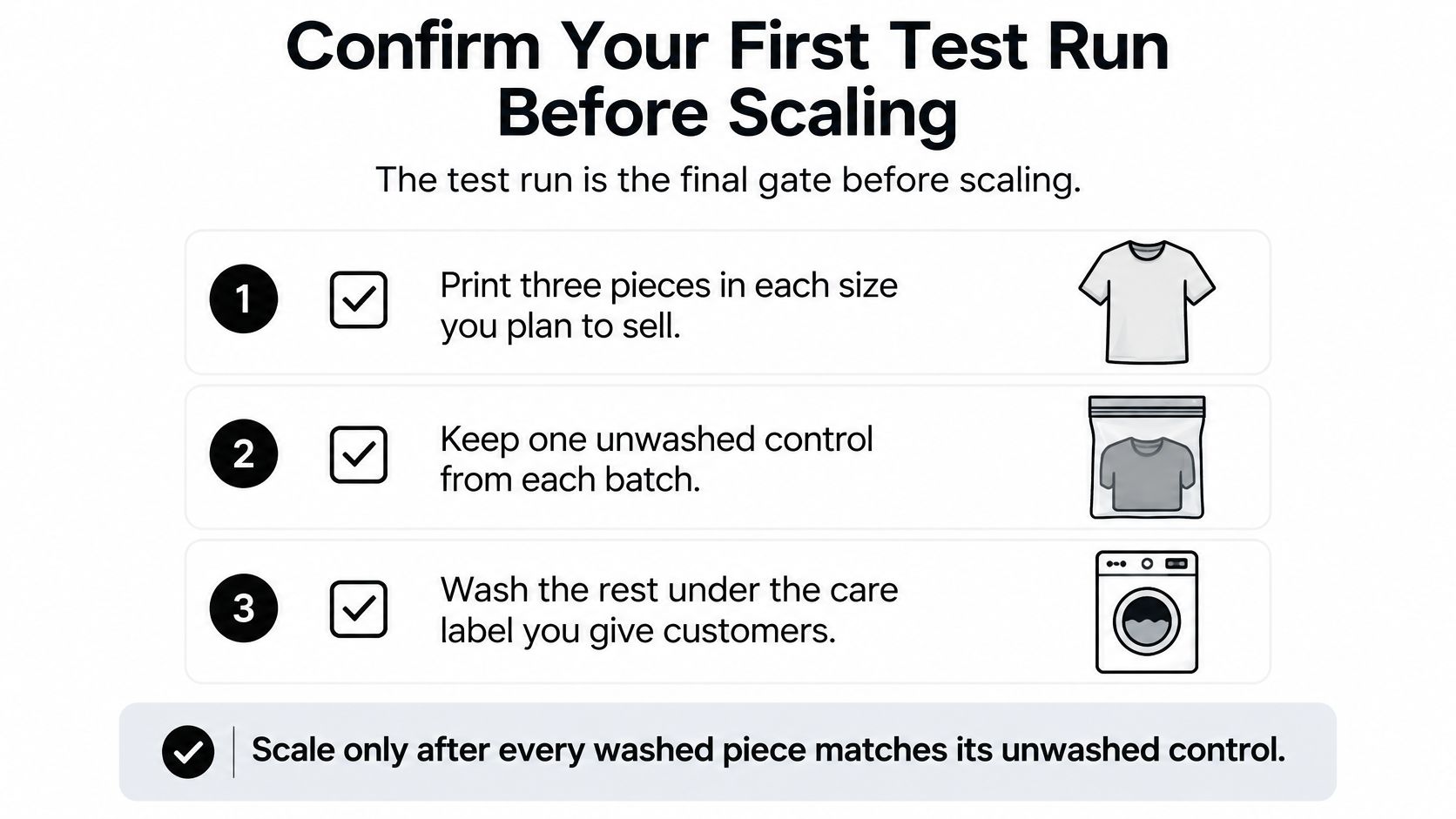
The test run is the final gate before a larger order. Use the actual garment fiber blend, artwork dimensions, and application settings you intend to sell.
Run a documented comparison
- Print a small sample group in every planned size. Include enough pieces to retain controls and evaluate washed garments.
- Keep an unwashed control from each batch. Label it with the blank, artwork revision, and application settings.
- Wash the other samples under the intended care label. Record detergent, temperature, drying, and cycle count.
- Compare after initial and repeated washing. Check fading, bleeding, cracking, edge lifting, adhesion, and adjacent-fabric staining.
ISO 105-C06:2010 uses a reference detergent and distinguishes a single test approximating one laundering from a more mechanically severe multiple test that can, in some cases, approximate up to five launderings at temperatures no higher than 70 °C. It primarily evaluates color loss and staining, so supplement color-fastness assessment with physical inspection of the finished print.
A home wash check isn't automatically an ISO-compliant test. Describe your actual method on product pages rather than claiming universal wash-proof performance.
Release decision: Accept samples against written criteria, not a vague impression that they still look fine.
This week, check the production file, prepare the placement specification, and order a sample-sized set of transfers or a useful gang sheet. Resolve failures before releasing the full order.
Raccoon Transfers offers ready-to-press DTF transfers by size, a custom gang sheet builder, and free mockups to help you prepare a custom apparel order. Visit Raccoon Transfers with your artwork and intended print dimensions, request a placement preview, and start with samples you can press, wear, and wash before scaling.