
Transfer Paper Sizes Chart for Garments and Hard Surfaces
You ordered transfers for a full size run, the art looked right on screen, and then the first press tells a different story. The design runs into a pocket on the mediums, looks lost on the XLs, and one edge is clipped because you sized it to the sheet instead of the area that actually prints. That's the order most shops reprint. Transfer paper sizes only work when you separate three things that charts blur together, the nominal sheet, the printable area inside it, and the flat surface on the item itself.
Standard Transfer Paper Sheet Sizes at a Glance
A shop running both desktop transfers and gang sheets may need more than one sheet format for the same order. Start with the printer's supported media and the item's flat print zone, then choose the sheet that can carry the layout. The standard formats below are useful references, not finished design dimensions.
| Format | Inches | Millimeters | Typical use |
|---|---|---|---|
| US Letter | 8.5 × 11 in | 216 × 279 mm | Office printers and iron-on sheet packs |
| US Legal | 8.5 × 14 in | 216 × 356 mm | Longer single-sheet artwork |
| A4 | 8.27 × 11.69 in | 210 × 297 mm | International single sheet |
| Tabloid | 11 × 17 in | 279 × 432 mm | Wide-format gang sheets |
| A3 | 11.69 × 16.54 in | 297 × 420 mm | Metric gang sheets |
| DTF roll widths | 13, 17, 22, 24 in | Widths sold in inches | Roll-fed production, confirm printer support |
Treat the roll widths as media options, not a guarantee that every printer can feed them. For sheet-fed work, confirm the size in the print driver and check how much of the sheet the printer can print. The printable area and the item's flat surface determine whether the artwork fits.
Why the Metric Rows Scale Cleanly
Metric sheet sizes follow ISO 216, formalized in 1975 from Germany's DIN 476 standard of 1922. The system uses a 1:1.4142 aspect ratio, allowing each sheet to be halved while keeping the same proportions. A0 is about 1 square meter, as explained in the ANSI overview of ISO and ANSI paper sizes. Within the A series, A4 measures 210 × 297 mm and A3 measures 297 × 420 mm.
That shared sizing helps when a shop and customer use different local names for paper formats. The dimensions still provide a common reference for quoting and preparing files. Use them to identify the sheet, then check the print zone and placement before approving the layout.
Compare Packs by Cost per Sheet
A lower pack price does not always mean a cheaper production choice. Compare the unit price, sheet dimensions, and whether the format suits the job. A 21-sheet iron-on bundle listed by Brad's Deals in 2025 at $6.49 for 8.5 × 11 in sheets works out to about $0.31 per sheet. An Epson all-purpose transfer paper listing in 2026 at $36.00 for 150 sheets at 8.5 × 14 in works out to about $0.24 per sheet, with more length per sheet.
Practical rule: The nominal sheet is a buying unit, not a design canvas. Size artwork to the usable print area and the item's flat placement zone.
Calculating the Printable Area After Margins
The printable area is smaller than the sheet. Orders fail when artwork is sized to the nominal sheet and the printer clips the border without warning. Calculate usable area first, every time, for every printer you run.
Usable width equals sheet width minus left and right margins. Usable height equals sheet height minus top and bottom margins. That formula, and the instruction to keep important artwork inside the non-printable border, is set out in transfer-paper instructions specifying A4 as an 8.3 × 11.7 in media setting.
Work the math before you nest anything. An A4 sheet at 8.27 × 11.69 in with an assumed 0.25 in margin on every side leaves 7.77 × 11.19 in. A US Letter sheet at 8.5 × 11 in with the same assumed margins leaves 8.0 × 10.5 in. Those are examples, not universal margins, but they show how quickly a design that fits the sheet stops fitting the print area.
Three Checks Before Printing
- Set the exact sheet size: Select it in the print driver so the printer doesn't scale your file to a default format.
- Confirm the non-printable border: Keep critical artwork, text, and registration marks inside it, not just inside the sheet edge.
- Confirm media support: A printer's maximum paper size doesn't guarantee reliable feeding when coating, thickness, and stiffness differ from plain paper.
That third check gets skipped most often. Transfer media isn't office paper, and a feed path that handles one may skew or jam on the other. For gang sheets, larger media only improves material use when the platen, feed path, and RIP software all support the dimensions.
Record margin values per printer from your own printer and media documentation. Don't carry one shop's number to another machine and expect the same border. Write it on the media profile where the next operator will see it.
Apparel Print Sizes by Garment Type and Zone
Use these widths as a starting point today. Adult S to M full front runs 9 to 10 in, adult L to XL full front runs 10 to 12 in, full back matches the front width, and left chest or pocket areas sit at about 3 to 4 in. Those ranges are the ones repeated in the size guide material that warns buyers to check the actual garment before ordering.
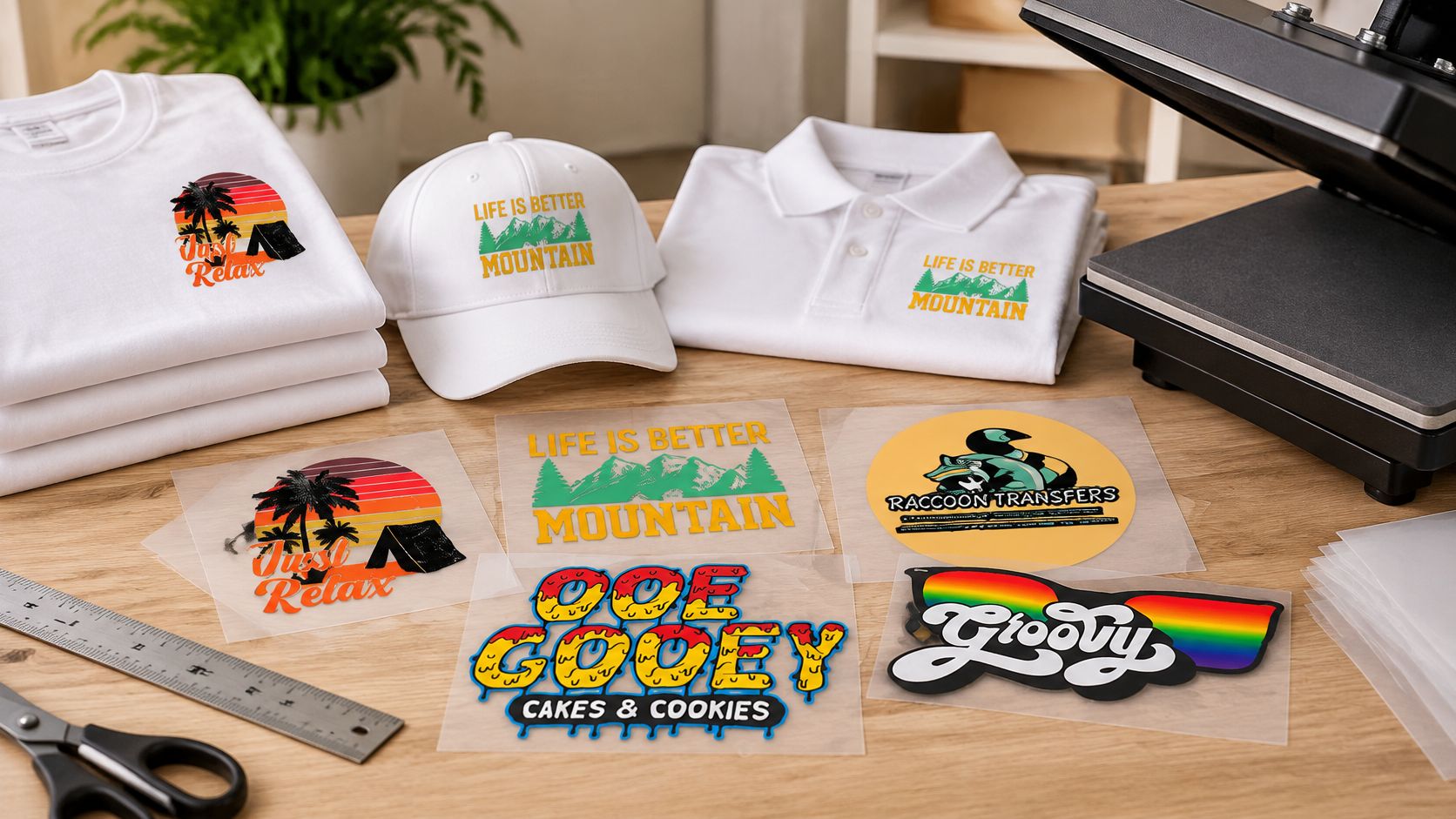
| Garment and zone | Typical width | Height guidance | Check before ordering |
|---|---|---|---|
| Adult S–M, full front | 9–10 in | Scale by design aspect ratio | Clearance from collar seam and pocket |
| Adult L–XL, full front | 10–12 in | Scale by design aspect ratio | Flat chest width, not the size label |
| Adult full back | 10–12 in | Scale by design aspect ratio | Yoke seam and neck label |
| Left chest or pocket area | 3–4 in | Keep proportional to width | Pocket stitching and sleeve seam |
| Youth, full front | Measure the garment | Scale by design aspect ratio | Measure flat chest, don't scale adult widths by eye |
| Hooded or zip-up front | Measure the garment | Fit between construction features | Zipper, hood seam, and pocket clearance |
| Oversized or heavyweight tee | Measure the garment | Scale by design aspect ratio | Measure after pressing, garment may exceed its label |
Measure the Garment, Not the Label
Lay the garment flat and measure chest width from armpit to armpit. Compare your planned print width against that flat measurement, with clearance from seams, pockets, and zippers. Two shirts with the same label can give you different flat widths, and the flat width is what the transfer sees.
Cells left as measure-the-garment in the table aren't missing data you can guess around. Youth, hooded, and oversized cuts differ enough that a borrowed adult number will mislead you. The guide to graphic size for a t-shirt is a useful companion when you're checking a design against a specific blank.
A wider garment doesn't always take a wider design. A wide print can collide with a pocket or zipper, while a taller, narrower design fits the same chest comfortably.
For mixed-size runs, one fixed width can look balanced on an XL and oversized on a youth shirt. Group garments by flat chest width before you commit to one size. If you're ordering ready-to-press pieces, Custom DTF Transfer by Size: Perfect Prints for Every Project lets you order by size for fabrics including cotton, polyester, blends, and leather, which makes grouping by measured width practical.
How to Place a Print Against the Collar and Seams
A mathematically centered transfer isn't always visually centered. That's the core rule, and it's why placement can't be reduced to one measurement from one seam. Follow the sequence below, then trust your eyes at the final step.
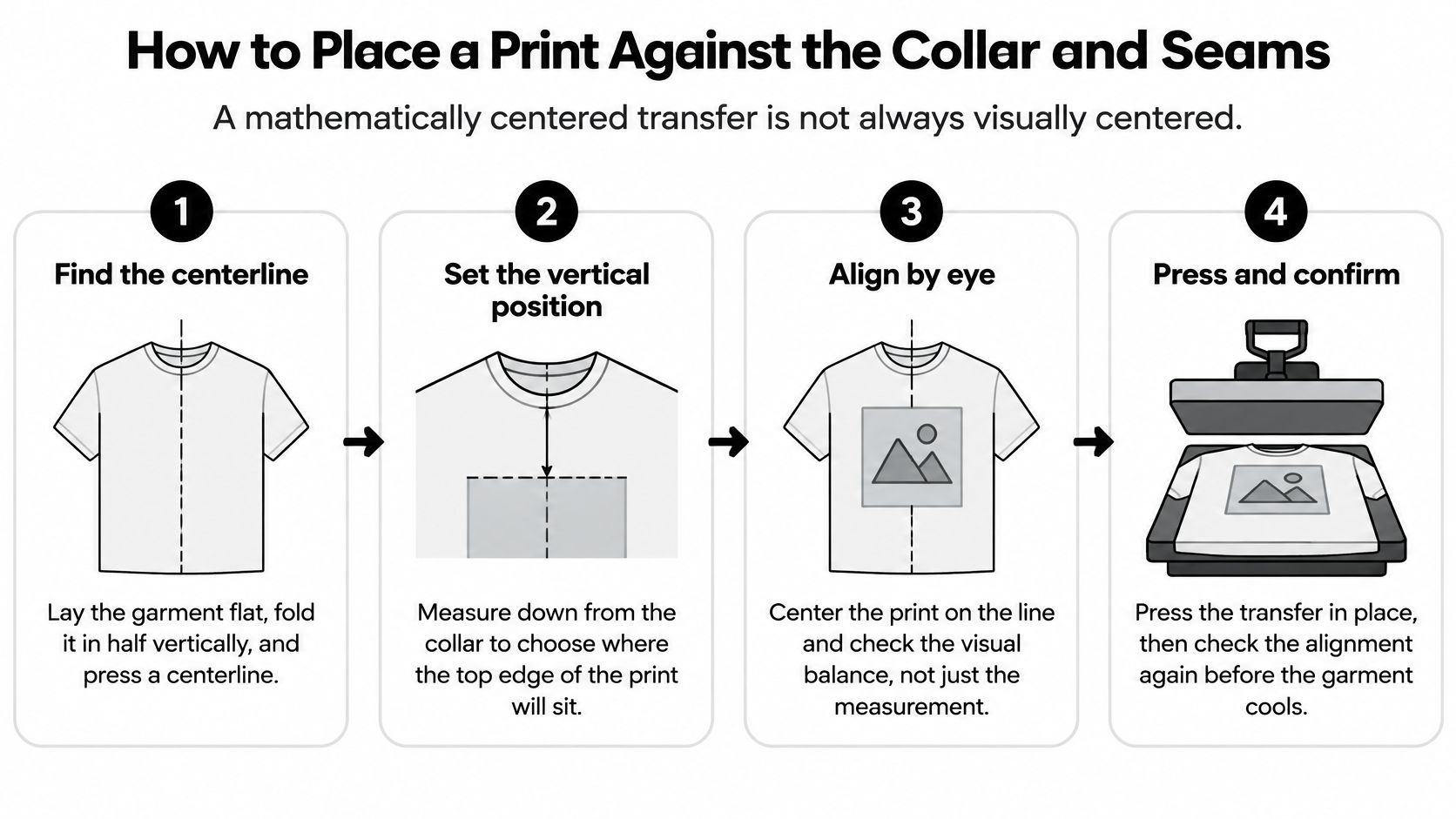
- Find the centerline. Lay the garment flat, fold it in half vertically, and press a centerline. That fold is your reference for every width decision that follows.
- Set the vertical position. Front prints usually begin about 3 to 4 in below the collar, and back prints begin about 4 in below the collar, per the placement guide covering front and back starting positions.
- Check the neckline shape. A deep crewneck makes a print look high, a V-neck makes it look low, and a raglan shifts the visual center toward the shoulder seams. Adjust from the visible neckline edge, not only from the seam.
- Pick the right reference. Use a centerline for simple tees, a usable-area rectangle for gang sheet placement, and wraparound circumference for cylindrical items.
- Mock it up at full size. Print the design on paper, tape it to the garment, and step back to normal viewing distance before you press a test.
Why the Mockup Catches What Numbers Miss
Collar depth, shoulder width, gendered cuts, regional size labels, and fabric stretch all change apparent position. Your measurements can be correct and the print can still look wrong once someone wears the shirt. The paper mockup shows you that mismatch while it still costs nothing to fix.
Do this without exception for premium apparel, uniforms, and branded merchandise. One taped mockup is cheaper than a reprinted batch.
Hard Surface Sizes for Mugs, Bottles and Cases
Apparel charts don't cover curved or rigid items, so the sizing logic changes. For a cylinder, printable width comes from circumference, which is π × diameter. If diameter is awkward to measure directly, wrap a string around the item, mark it, and measure the string flat.
| Surface | How to measure | Printable size guidance | Watch for |
|---|---|---|---|
| 11 oz ceramic mug | Circumference (π × diameter) and wall height | Approx. 8–9 in wide to clear the handle | Curvature near handle and rim |
| 20 oz tumbler | Circumference at top and bottom of wall | Print to the narrowest band | Taper changes width top to bottom |
| Water bottle, flat panel | Flat panel width and height | Measure the flat label area directly | Label area and curvature |
| Laptop lid or case | Lid dimensions minus bezel | Measure inside the bezel edges | Hinge, vents, and camera area |
| Phone case back | Case back dimensions | Measure inside raised edges | Camera cutout and button edges |
An 11 oz mug with a diameter of 3.3 to 3.5 in has a full circumference of about 10.4 to 11 in by that formula, but you shouldn't design to the full wrap. Design to about 8 to 9 in so the art clears the handle and stays readable from the front. Tapered tumblers need a measurement at the top and bottom of the wall, because the width changes between them, so print to the narrowest band you need to keep.
Flat Panels and Curvature
For water bottles with a flat panel, laptop lids, and phone cases, measure the flat area itself. Subtract the bezel, hinge, camera cutout, and button edges before you call that your printable size. The object's outer dimensions overstate what you can use, the same way a nominal sheet does.
Curved edges stretch the visible image. Keep type and fine lines away from the tightest curvature, where distortion and hand placement work against legibility. Bold shapes tolerate a curve better than small text does.
Choose the Method by Surface
DTF transfers are heat-pressed and suit fabric and leather. UV DTF transfers are adhesive-backed decals for glass, plastic, and metal, applied by hand without heat. Decide which method the surface requires before you size anything, since the application method affects how much handling border you need. The guide to UV DTF transfer sheets covers that material choice in more detail.
For consolidating several hard-surface designs, Build Your UV DTF Gang Sheet is described for application to items including laptops and water bottles. Whichever route you take, verify every value in the table with a string or a paper template wrapped on the actual item before you order a batch.
Choosing Sheet and Gang Sheet Sizes for Each Run
A larger sheet can carry more designs per press cycle, but only when the printer feeds it flat and the artwork fits the usable area. Sheet capacity is not the same as usable capacity. A sheet that skews or deforms can waste more output than a smaller, reliable format.
| Situation | Choose | Why it matters |
|---|---|---|
| One design, one garment | Smallest sheet that holds the usable print area | Uses less media and simplifies proofing |
| Several designs, one size | Larger sheet or a supported roll width | Fits more designs into each press cycle |
| Mixed sizes, youth to 2XL | Separate groups by flat chest width | A single layout can look oversized on smaller garments and undersized on larger ones |
| Hard-surface items with different diameters | Group by circumference | Keeps designs suited to similar curves |
| Heavy or wide gang sheet | Stable media supported by the printer | Reduces deformation; confirm feed requirements |
| Printer cannot feed the largest size | Use the next smaller format | Reliable feeding matters more than nominal sheet capacity |
Media Weight and Stability
The Fujifilm transfer instruction sheet, which specifies formats of 700 × 1000 mm and 635 × 965 mm, gives industrial examples ranging from about 75 gsm for standard cold-peel transfers to 105 gsm where greater sheet stability is required. Heavier stock resists deformation during printing, alignment, and heat application. It also places stricter demands on printer feeding and costs more to handle. Choose stock the machine can feed reliably, not just stock that fits the layout.
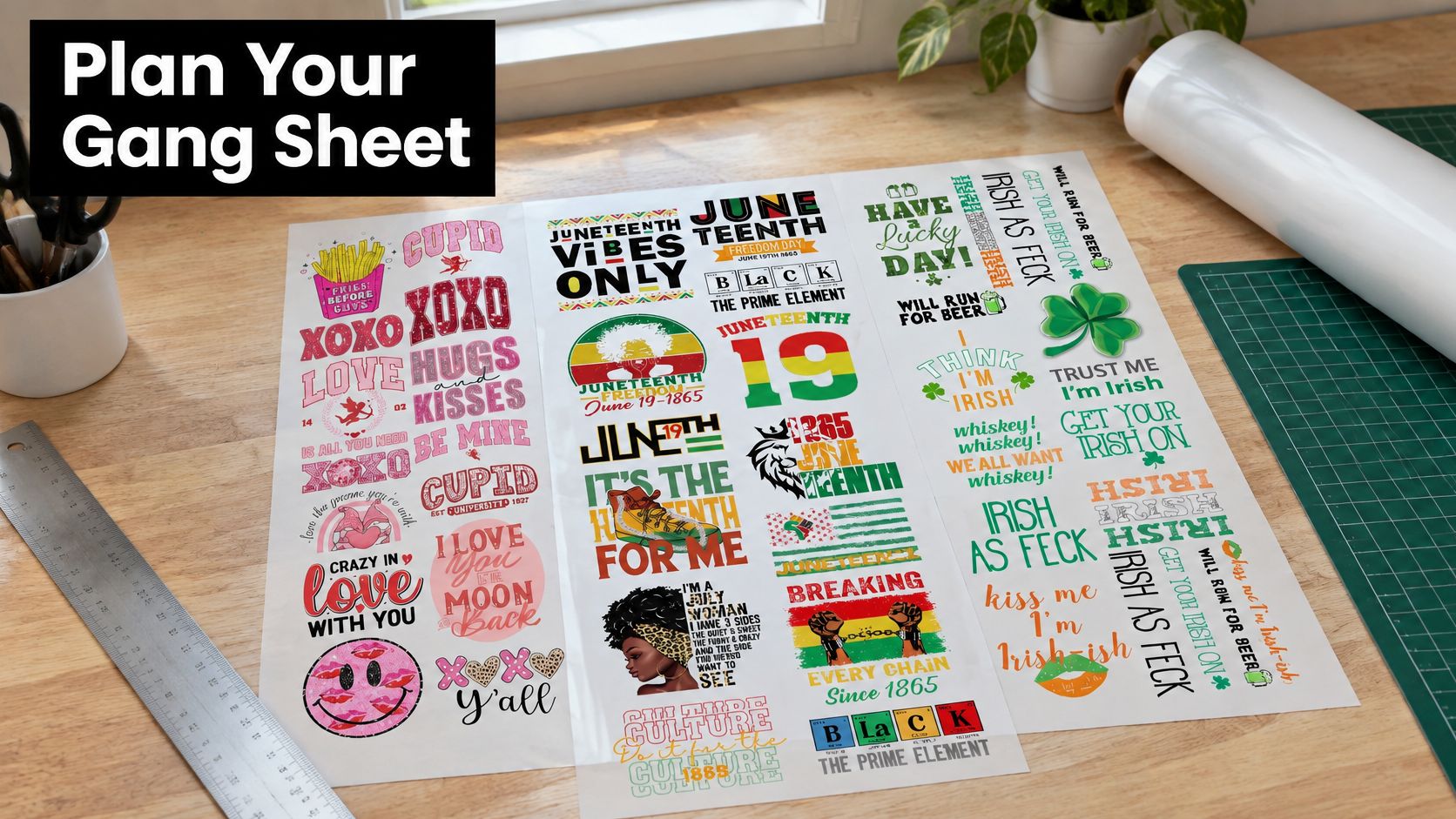
Leave enough space between designs for cutting and alignment. Tight nesting saves media but makes accurate handling harder at the cutter and press. For help arranging multiple designs, use this DTF gang sheet builder guide.
Press Settings Come From the Media Profile
Sheet size does not determine press settings. The Fujifilm instruction sheet specifies approximately 185 to 190°C for 10 to 15 seconds at high pressure, with cooling before peeling. A separate textile procedure specifies 310°F (154°C) for 30 seconds on cotton, with lower temperatures for polyester blends. Follow the settings for the specific transfer media and substrate, rather than combining instructions from different procedures.
Pair each sheet choice with a documented media profile and the appropriate substrate settings. For a mixed-size run, group garments by their flat dimensions before laying out the sheet. If the printer cannot feed the chosen format consistently, step down to a smaller sheet. A dependable run beats wasted transfers from jams or misalignment.
Cutting Lines and Print Margins for DTF and UV-DTF
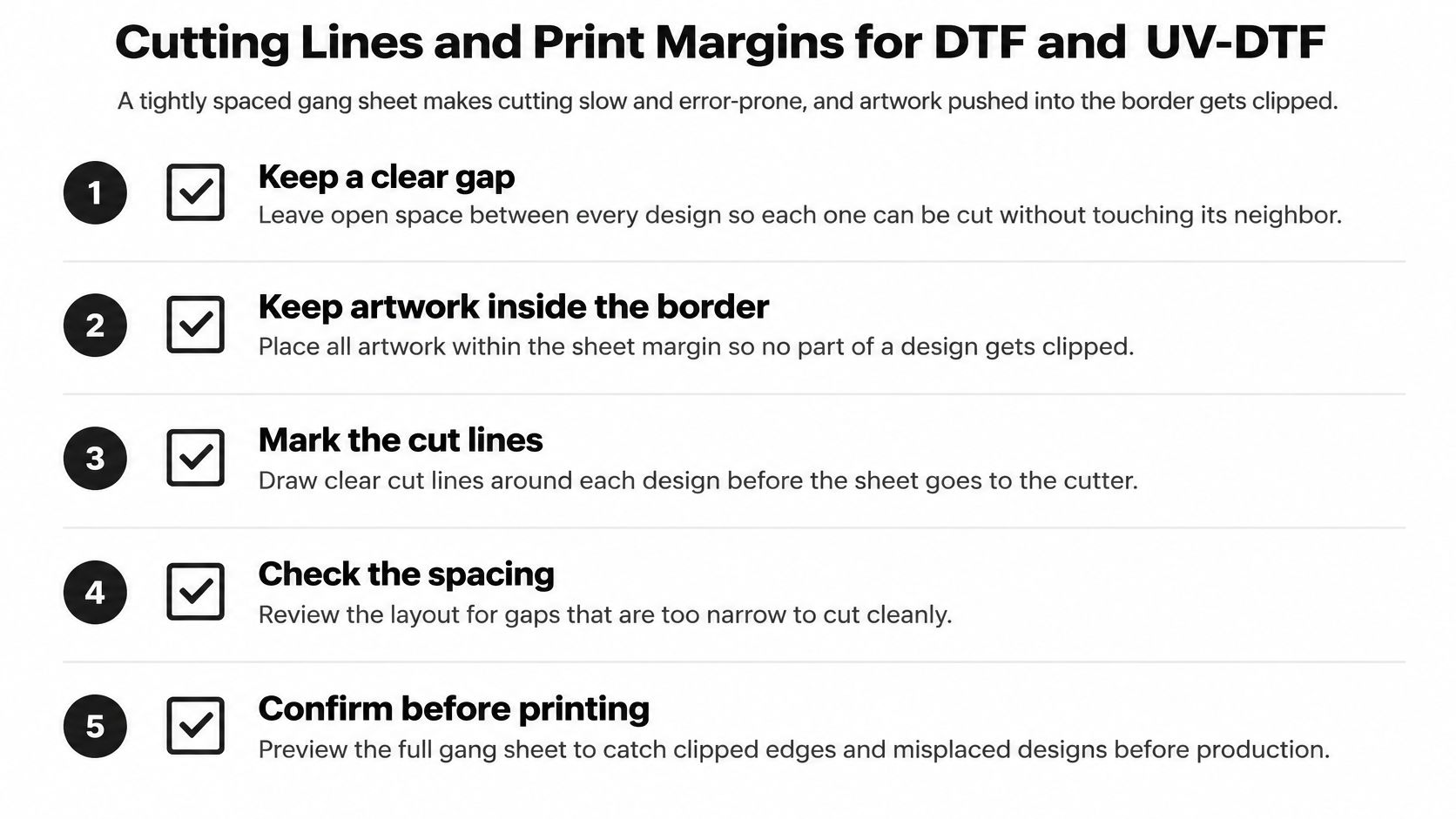
A gang sheet packed too tight makes cutting slow and error-prone, and artwork pushed into the border gets clipped. Most cutting problems are layout problems created before printing. Work through this checklist in order and you'll remove most of them.
The Layout Checklist
- Keep a clear gap between designs: About 0.25 in is a common starting point, adjusted to your cutting method, so cut lines never cross neighboring artwork.
- Keep critical art inside the border: Text, logos, and fine detail belong inside the non-printable border of the sheet or film, with room to spare.
- Choose the cut shape deliberately: Contour cuts follow the design shape and remove extra film, which suits UV DTF decals, while rectangular cuts are faster for uniform DTF placements.
- Upload clean files: Use PNG, PDF, or AI files at high resolution so edges and fine lines survive at final size.
- Don't mirror the image: The Raccoon Transfers FAQ states the system adjusts the transfer for correct application during printing, so a mirrored upload creates a reversed result.
- Verify final size after export: Check dimensions in the RIP or print driver, because a scaled file changes every gap and border you planned.
Cutting rule: If you can't fit a clean cut line between two designs without hesitation, the gang sheet is too crowded. Add space or move a design to the next sheet.
The gap decision deserves a second look on mixed sheets. Small decals next to large placements tempt operators to tuck pieces into leftover corners. That works only when each piece still has its own clear cut path and border. If the filler piece crowds a neighbor, it's not free output, it's a future miscut.
UV DTF needs one extra consideration. Those transfers are adhesive-backed and placed by hand, so the cut shape should leave enough border for fingers to position the decal without touching the printed area or folding an edge. A contour cut that looks clean on screen can be fiddly to apply if the border is too tight.
Rectangular cuts have the opposite virtue. They're fast, repeatable, and easy to align on a press platen, which is why uniform shirt placements often stay rectangular even when a contour cut is possible. Choose based on how the piece will be handled, not on which outline looks better in the layout file.
Finally, preview the full sheet at final size before production. Look specifically for art drifting into borders, gaps that narrowed after a resize, and cut lines that pass too close to text. Two minutes in preview is where these errors are still cheap.
Confirm the Size Before You Order
Send the measured usable width and height with your order, along with the garment or surface type. A size label or sheet name does not tell the production team what area you measured. For a run covering youth and adult garments, list each group with its own dimensions. The usable print area and the item's flat surface set the size, not the nominal sheet or garment label.
Ask for a proof showing the design on the selected sheet or roll, with cut spacing and borders visible. Compare it with your paper mockup. If the proportions differ, pause production and resolve the mismatch before printing.
Confirm that your printer and media profile support the sheet or roll width, and include the printer model. This lets the team check the feed path rather than rely on a format name. A listed paper size is no use if the printer cannot feed it reliably.
Approve the proof in writing. Check orientation and dimensions, especially if the file was mirrored or scaled. For example, a mirrored left-chest logo can print facing the wrong way across an entire batch, leaving the transfers unusable and requiring a reprint. Written approval gives both sides a clear reference if the finished job differs from the proof.
After production, record the approved dimensions by printer and garment group. That gives mixed-size reorders a confirmed starting point instead of forcing you to rebuild measurements from memory.
Send your confirmed dimensions to Raccoon Transfers and review the proof before finalizing the order. Check the placement and usable area against the actual item before approving production.